When the Board Isn't Enough: Your First Code Transform
We rebuilt the FM-PB-05 filter as a Python transform in a Code Repository to find out what the escape hatch actually costs and buys. Verified live: the 2026 template defaults to lightweight polars on a single machine (not Spark), the repo is a real git repository with a real remote, the Build button targets whichever file has editor focus (we learned this from a failed build), and the output is an ordinary dataset with the same SNAPSHOT transaction semantics Pipeline Builder uses. 19 source rows in, 18 out, the trap row filtered, plus one computed column no board expressed.
- FM-PB-05 (transactions, incremental vs snapshot). The source dataset from that module is the input here.
Field notes from the Avinyr lab. Everything below was observed live on 2026-09-02 in Code Repositories and Code Workspaces on our cloud enrollment. The input data is synthetic (the same fake work order batches from FM-PB-05) and labeled as such. Every screenshot is ours.
[ READ THIS FIRST: WHAT THIS MODULE IS ]
Pipeline Builder got us through five modules. Filters, derived columns, joins, transaction types: all boards, no code. That is not a limitation we hit by being gentle with it. Boards genuinely cover most of what a pipeline does all day.
But there is a class of logic boards do not express cleanly: row-by-row business rules with branches, parsing, lookups against external libraries, anything you would rather write as a function than wire as nodes. This module is about the door out. We take the exact predicate from FM-PB-05 (drop work orders with negative resolution_days) and rebuild it as a Python transform in a Code Repository, then add one column the board never gave us, and watch what the platform does with it.
The point is not the Python. The Python is twelve lines. The point is what surrounds it: a real git repository, a real CI check gate, a build system, and an output dataset that behaves exactly like every dataset you have already made. If you have been putting off the code path because it looked like a different universe, this module is the evidence that it is the same universe with a heavier front door.
[ WHAT YOU WILL HAVE AT THE END ]
One code repository (FM-PB-06 code transforms) built from the Python Transforms template, holding one transform file you wrote. One green build on the master branch, three jobs, 30 seconds. One output dataset (work_orders_stream_clean_py) with 18 rows and 7 columns, its History tab showing a single SNAPSHOT transaction credited to the build, its lineage pointing back at the FM-PB-05 source. And a working mental model of when to reach for this door and when to stay on the boards.
[ STEP 1: FIND THE DOOR ]
In your project, open New. You would expect code under a Developer category. There is one, called Developer toolchain, and it contains exactly one item: Developer Console application. Not what you want.
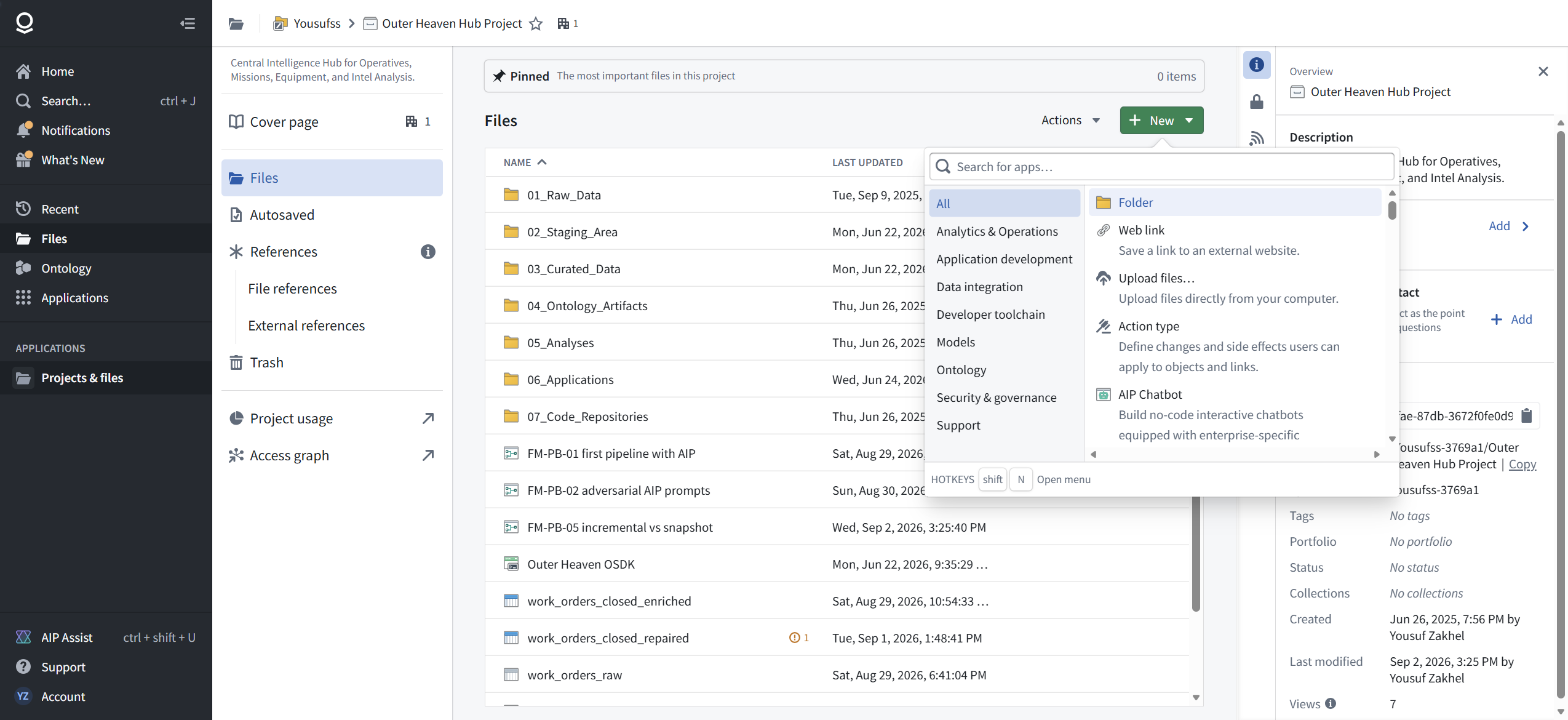
Switch to the All category and type "code" in the menu's search box. There it is: Code repository, described as "Write data transformation code in Python, Java and SQL, and Functions on Objects in TypeScript".

Field repair FR-1: if you cannot find Code repository in the New menu, stop browsing categories. All + search is the reliable path. The category names will not help you.
[ STEP 2: READ THE TEMPLATE MENU BEFORE YOU CLICK ]
The template picker groups your options: Pipelines, Functions, Analytics, Applications, Models. Under Pipelines, the list is a small history of Foundry compute:
- Python Transforms, marked Recommended, with a VS Code badge
- Pipeline Builder, marked No code (the tool you already know, listed as one template among many)
- Java Transforms
- Map UDF Definition and Implementation
- Mesa, described as "Foundry's proprietary data manipulation language"
- SQL Transforms
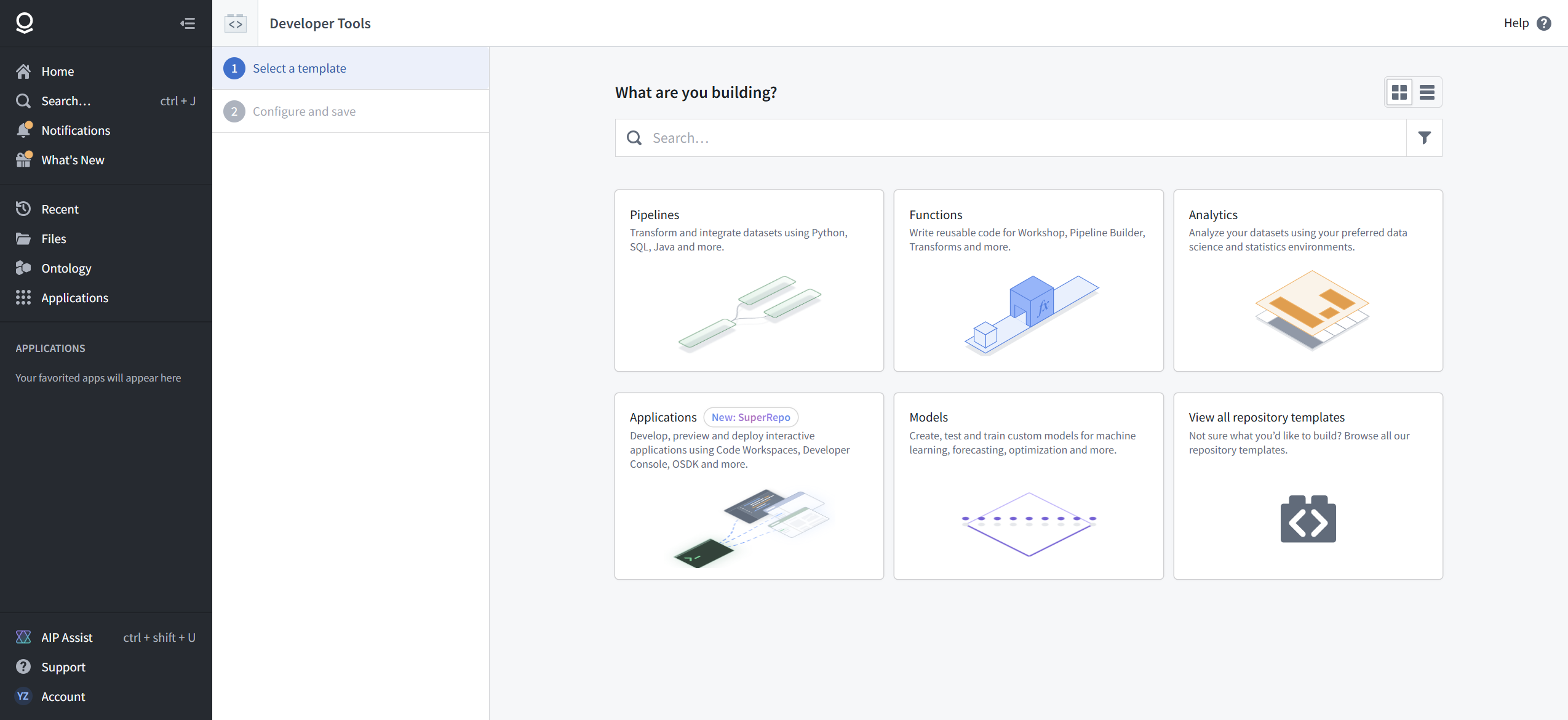

Mesa still being listed in 2026 is worth noting. Palantir's own direction is visible in the badges: Python Transforms carries the recommendation. Take it.
[ STEP 3: THE DEFAULT WORKSPACE IS VS CODE ]
Name the repository and place it in your project. Before you finish, open Advanced configuration. The workspace compute profile defaults to 0.75 CPU and 6 GB of memory, scales to 16 CPUs at a fixed 8 GB per CPU, and offers a GPU checkbox with an honest warning: "Start-up is significantly slower".
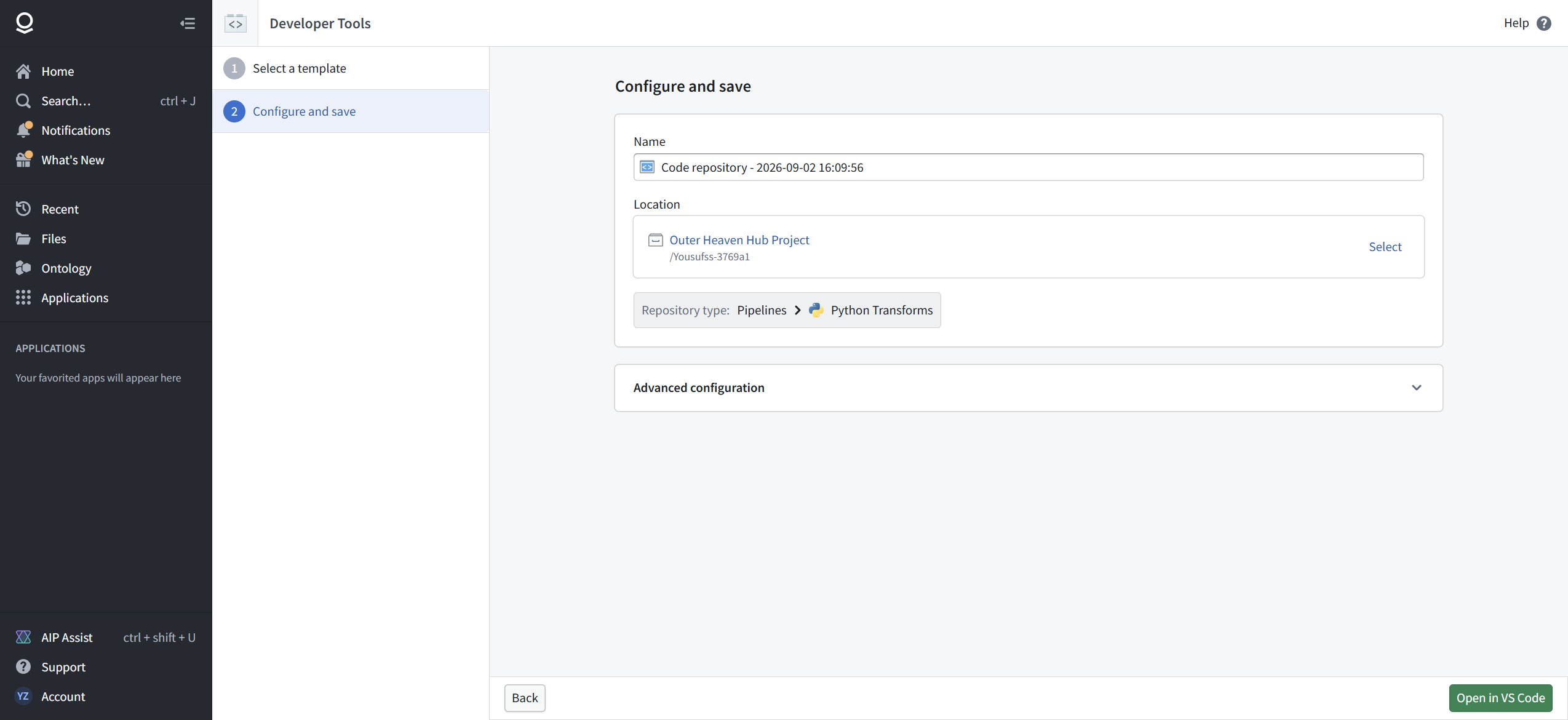

That default profile is a tell. Three quarters of one CPU is not a Spark cluster. It is a single machine, sized for one person iterating on data that fits in memory. Hold that thought until Step 5.
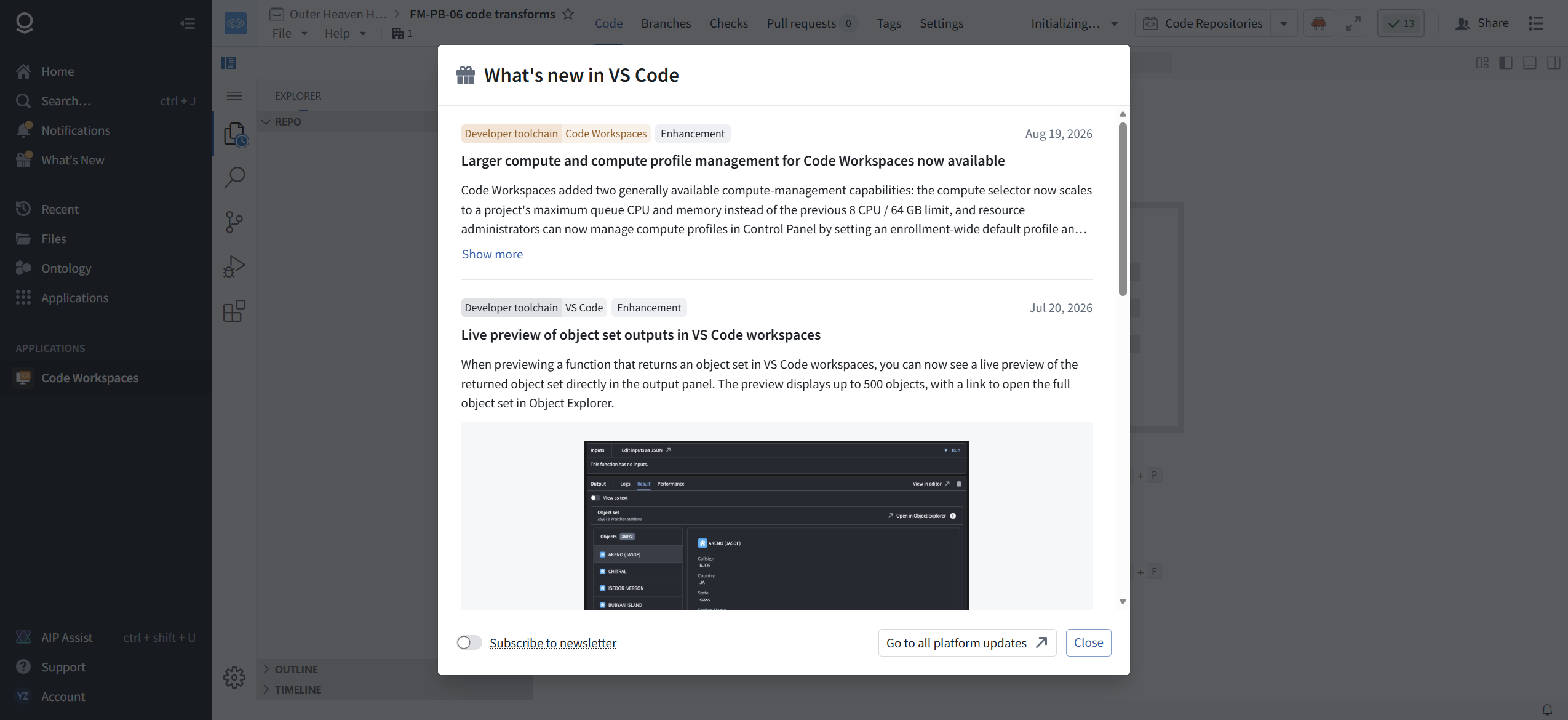
The primary action on the configure page is not "open in a viewer". It is a green "Open in VS Code" button. The repository workflow in 2026 is built around a browser-hosted VS Code workspace, and the What's New modal that greets you confirms active investment: larger workspace compute (Aug 19, 2026) and live preview of object set outputs (Jul 20, 2026).
[ STEP 4: LEARN THE REPO'S SHAPE IN TWO MINUTES ]
The workspace opens on branch master. The right-side PALANTIR panel is your control strip: Build, Preview, Test under ACTIONS; Commit, Propose changes, Tag version, Upgrade under CHANGES. Propose changes is the pull request flow. This is a real code review surface, not a simulation of one.


The tree:
- transforms-python/src/myproject/datasets/ is where your transforms live. pipeline.py discovers them automatically with
my_pipeline.discover_transforms(datasets). Drop a file in that package and it is in the pipeline. No registry, no wiring. - transforms-python/conda_recipe/meta.yaml is your dependency manifest. The template's run environment already includes the transforms libraries, and the lockfile shows polars 1.44.1 preinstalled.
- README.md, setup.py, setup.cfg, .pylintrc: standard Python project scaffolding.
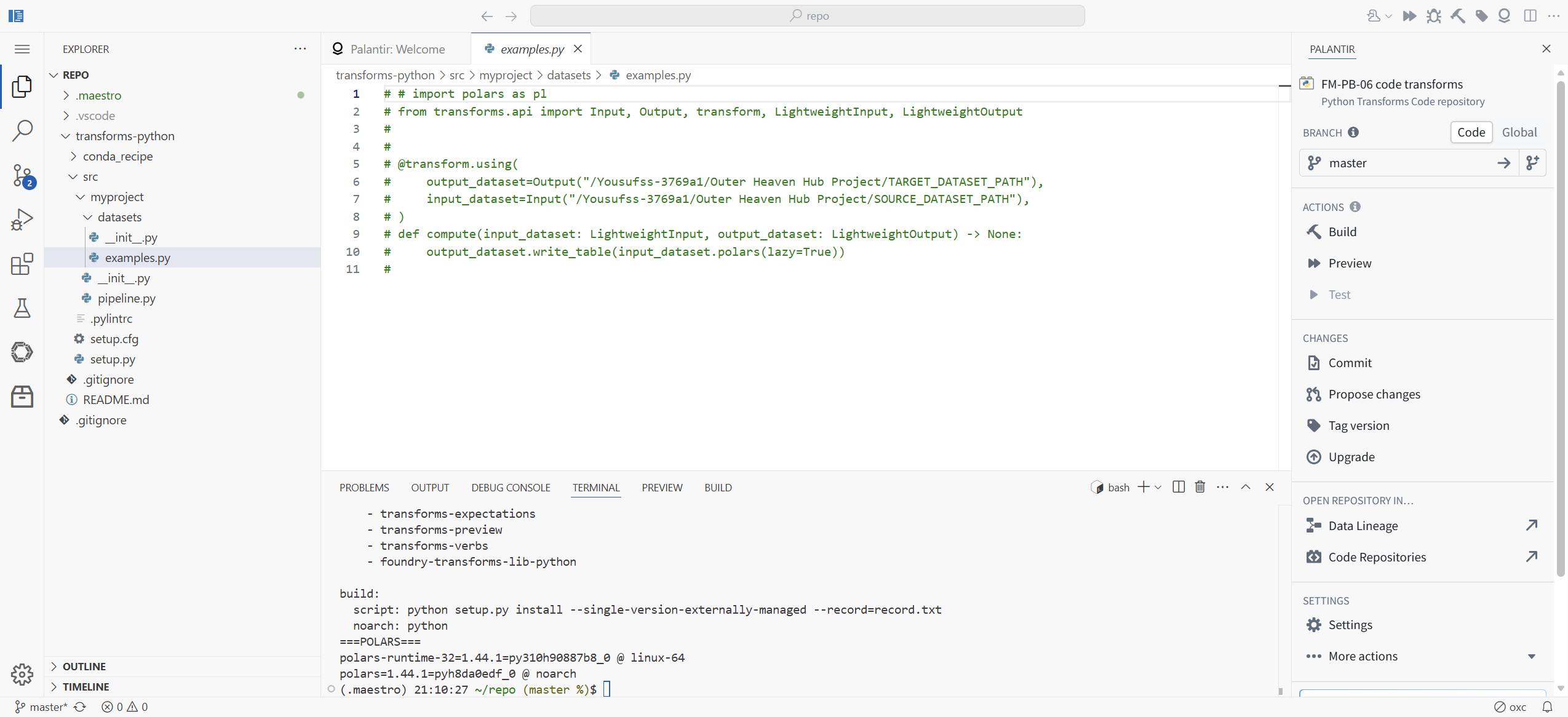
Field repair FR-2: the Explorer tree's indentation flattens nesting. README.md renders as if it sits at the repo root, but cat README.md in the terminal fails from ~/repo. The actual path is transforms-python/README.md. When a file you can see in the tree is "not found" in the shell, check the real path before you conclude anything.
[ STEP 5: THE TEMPLATE TELLS YOU HOW PALANTIR WANTS YOU TO COMPUTE ]
Open the only example the template ships, transforms-python/src/myproject/datasets/examples.py. It is commented out in full, and it reads:
# import polars as pl
# from transforms.api import Input, Output, transform, LightweightInput, LightweightOutput
#
# @transform.using(
#     output_dataset=Output("/.../TARGET_DATASET_PATH"),
#     input_dataset=Input("/.../SOURCE_DATASET_PATH"),
# )
# def compute(input_dataset: LightweightInput, output_dataset: LightweightOutput) -> None:
#     output_dataset.write_table(input_dataset.polars(lazy=True))
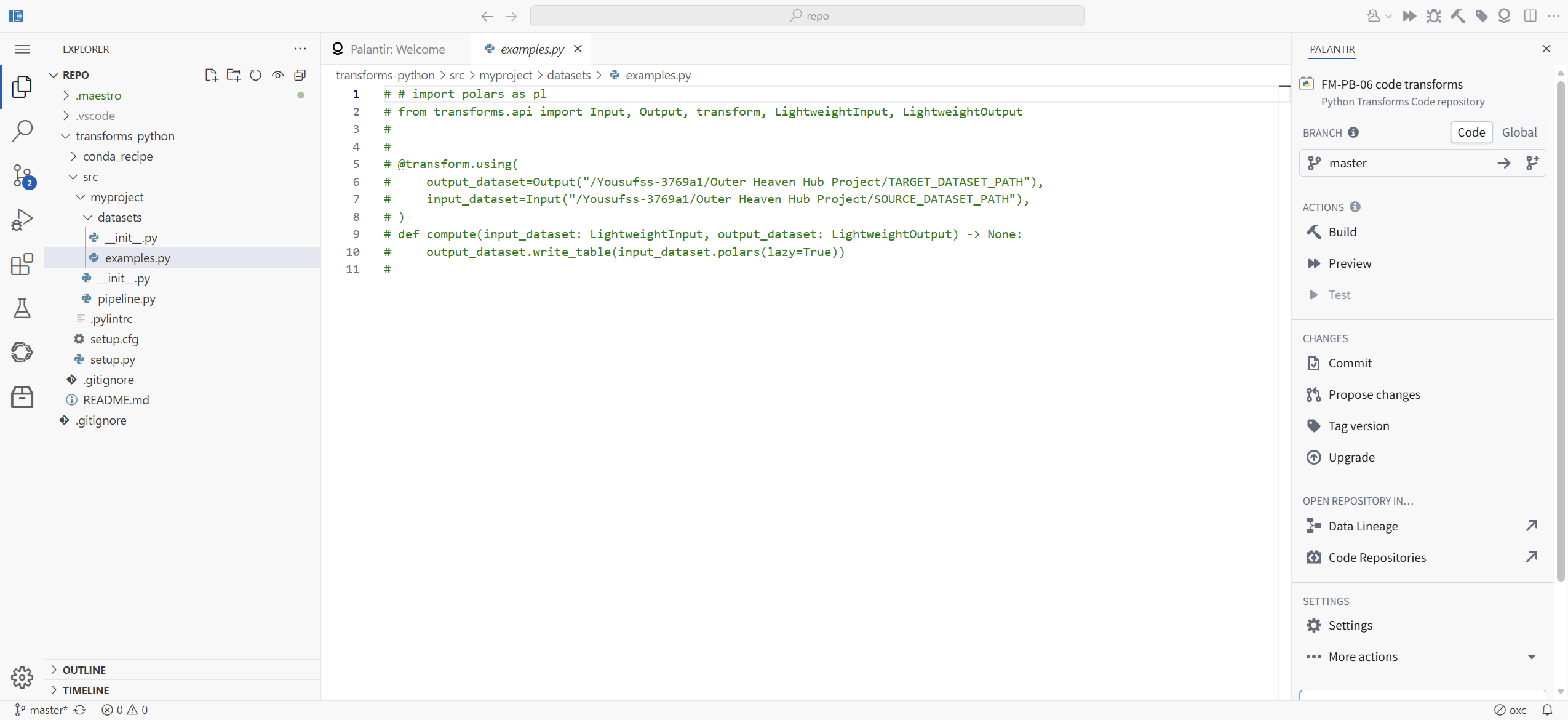
LightweightInput, LightweightOutput, polars in lazy mode. The default example is not a Spark transform. Combined with the 0.75 CPU workspace default, the message from the platform is consistent: for data that fits on one machine, Foundry's recommended 2026 path is a single-machine polars transform that skips Spark startup entirely. Spark is still there for data that does not fit. We did not test the Spark path in this module; it is on the not-tested list, and it deserves its own.
[ STEP 6: WRITE THE TRANSFORM ]
Create transforms-python/src/myproject/datasets/work_orders_clean.py:
import polars as pl

from transforms.api import Input, LightweightInput, LightweightOutput, Output, transform


@transform.using(
    output_dataset=Output("/Yousufss-3769a1/Outer Heaven Hub Project/work_orders_stream_clean_py"),
    input_dataset=Input("/Yousufss-3769a1/Outer Heaven Hub Project/work_orders_stream_batch1"),
)
def compute(input_dataset: LightweightInput, output_dataset: LightweightOutput) -> None:
    df = input_dataset.polars(lazy=True)
    out = df.filter(pl.col("resolution_days") >= 0).with_columns(
        (pl.col("resolution_days") * 24).alias("resolution_hours")
    )
    output_dataset.write_table(out)
Same predicate as the FM-PB-05 board: keep rows where resolution_days >= 0. Plus the column the board never gave us: resolution_hours, the days multiplied by 24. A trivial multiplication, yes, and boards can do arithmetic. The point is that from here, the ceiling is Python, not the board library.

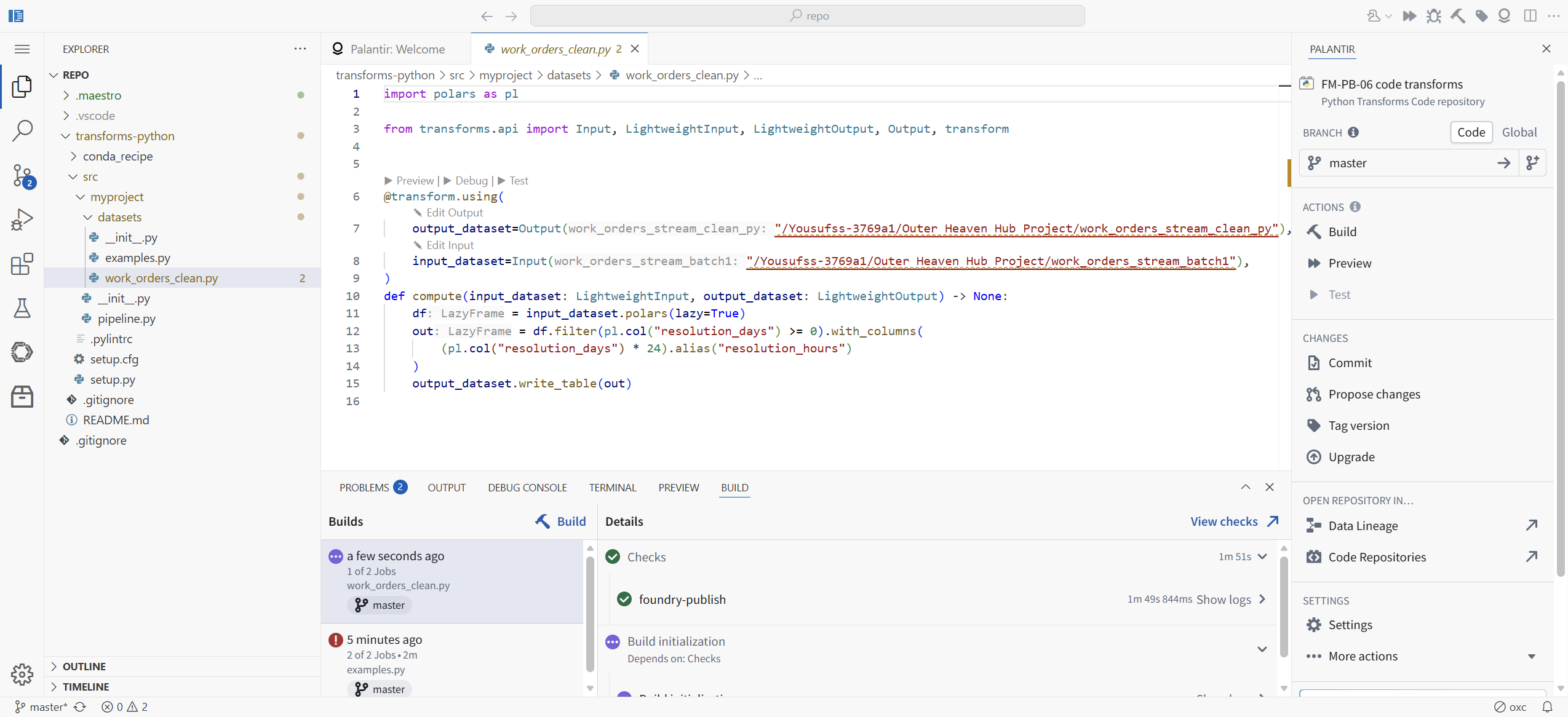
Open the file in the editor before you build. The Foundry VS Code extension annotates it live: Preview, Debug, and Test links appear above the decorator, an Edit Output link sits next to them, the Input and Output paths render as chips showing dataset name and full project path, and type hints appear inline (df: LazyFrame). The editor knows this is not ordinary Python.
[ STEP 7: COMMIT. IT IS REAL GIT. ]
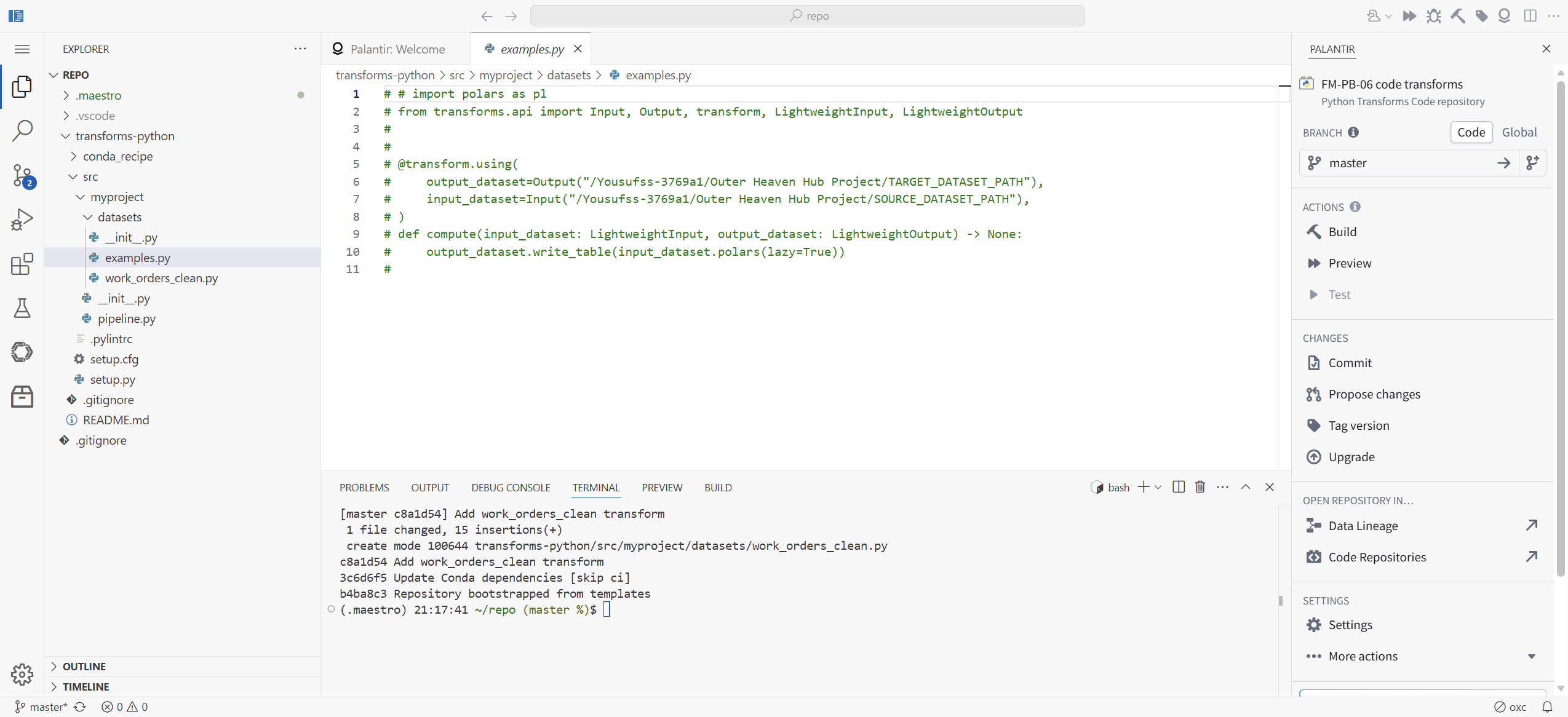
The terminal in the workspace is a real shell in a real checkout. We committed the way you would anywhere:
[master c8a1d54] Add work_orders_clean transform
 1 file changed, 15 insertions(+)
git remote -v shows the remote is an internal cluster git service keyed by the repository's RID. Push lands on master and the platform sees it immediately. The repo's own history starts with "Repository bootstrapped from templates" and "Update Conda dependencies [skip ci]", so you can see exactly what the template did before you arrived.
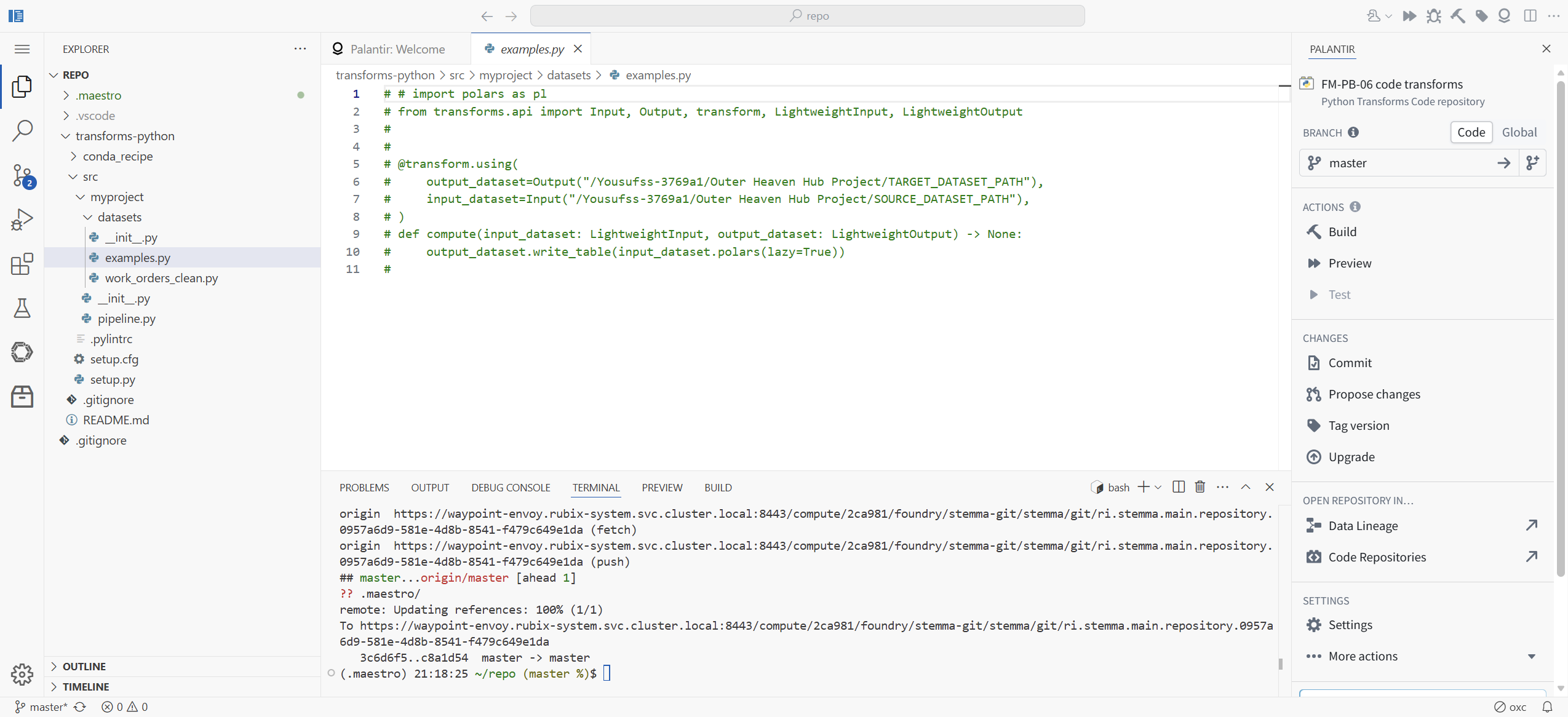
The panel's Commit button works too (it offered an autogenerated message when we tried it); we used the terminal because we were already in it. Either path writes the same master branch.
[ STEP 8: THE BUILD THAT FAILS TEACHES YOU THE RULE ]
Here is the mistake we made so you do not have to. We clicked Build with examples.py focused in the editor. The build ran Checks (1m 51s, green) and foundry-publish (1m 49s, green), then Build initialization failed in 0 seconds.
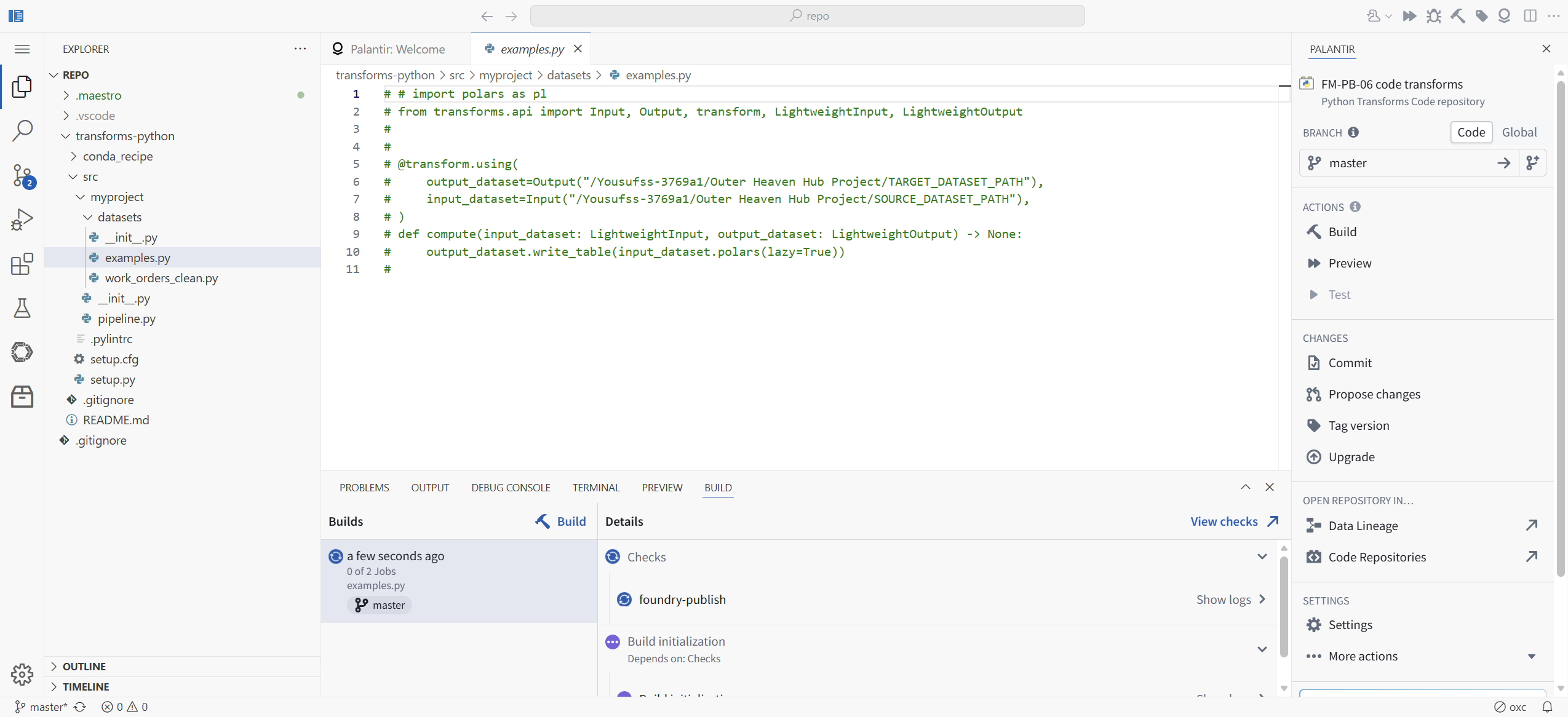

Zero seconds is the clue. Nothing was attempted, because examples.py has every line commented out: there was no transform to build. The Build button targets whichever file has editor focus. Each entry in the Builds list is labeled with the file it built; ours said "examples.py", which is how we caught it.
Field repair FR-3: if Build initialization fails in 0 seconds after green checks, check the file label on the build entry. Open your transform file, then click Build again.
[ STEP 9: THE BUILD THAT WORKS ]
With work_orders_clean.py focused: Build. 3 of 3 jobs, green, 30 seconds. The Details panel names the dataset job directly: "Builds: work_orders_stream_clean_py" with the new dataset's RID underneath and a View build link.

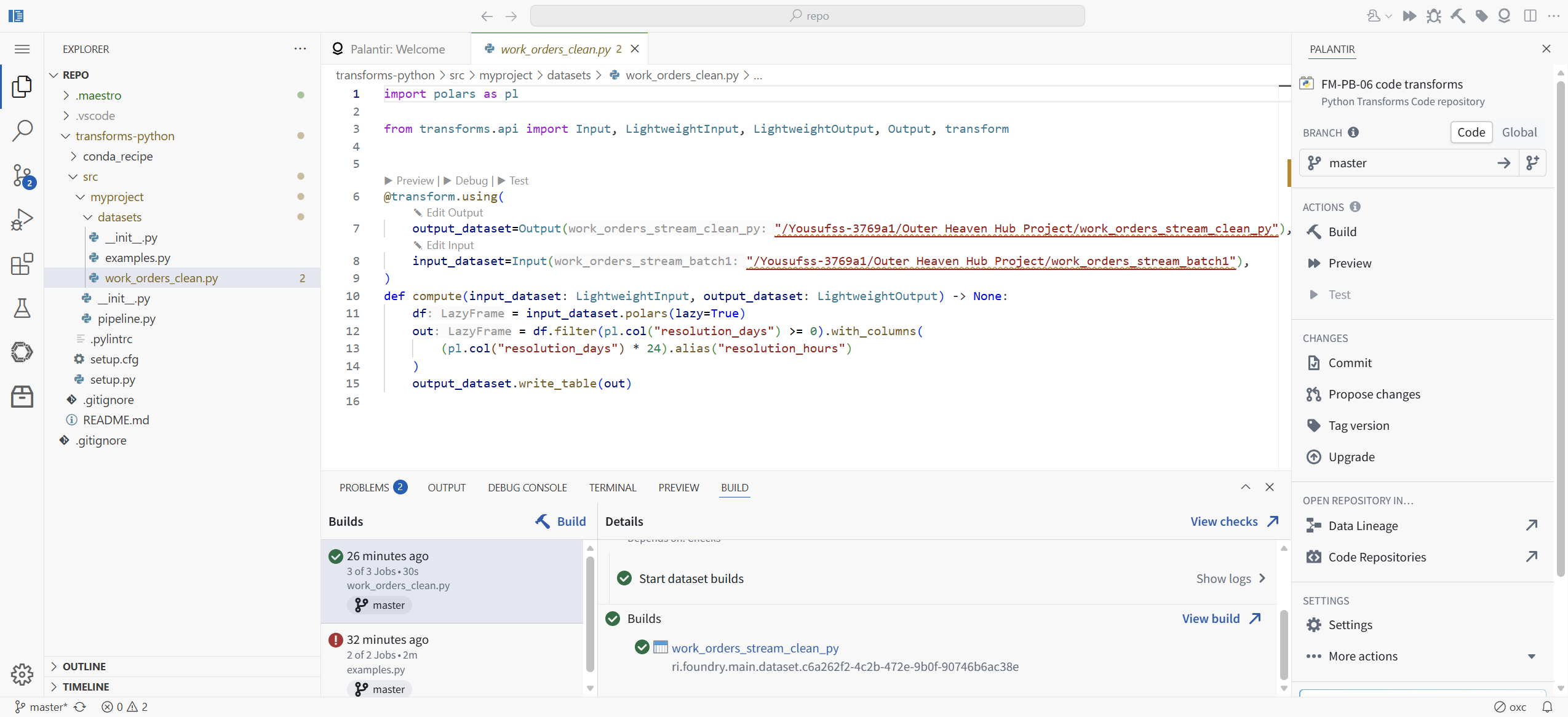
Compare the cost profile with Pipeline Builder. The repo route charged us: a workspace spin-up measured in minutes, roughly four minutes of checks and publish on the first attempt, then 30 seconds for the build and 20 seconds for the dataset transaction. The board route charges zero scaffolding and sub-minute builds. The overhead is real, and it is almost all front-loaded. Iteration two onward costs seconds.
[ STEP 10: THE OUTPUT IS AN ORDINARY DATASET ]
Open work_orders_stream_clean_py. "Showing 18 rows, 7 columns." resolution_hours is there on the right. WO-3017, the trap row with negative resolution_days, is absent. The About panel says Type: Dataset, Uploaded via: FM-PB-06 code transforms, and the Inputs section lists work_orders_stream_batch1. Lineage tracked, like any pipeline.

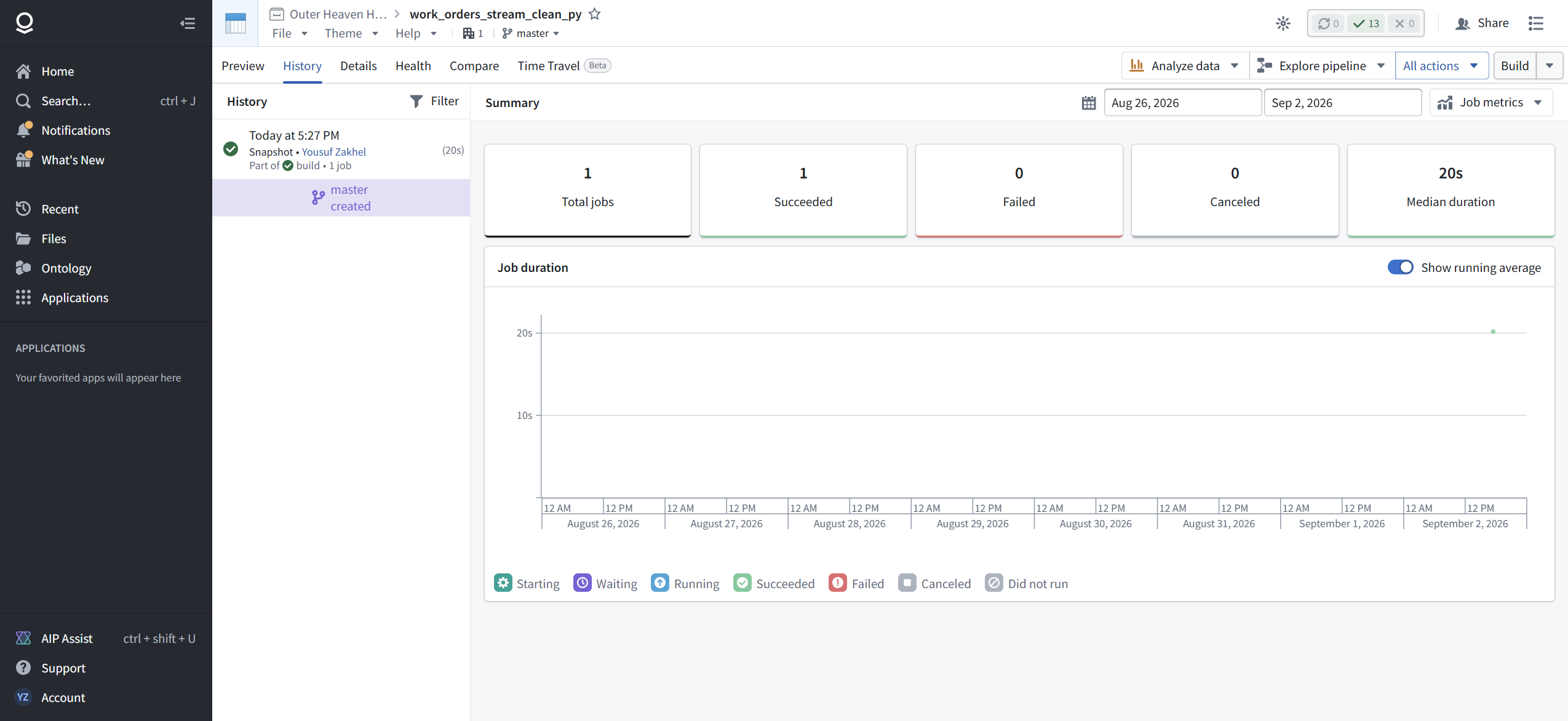
Now the History tab, because FM-PB-05 taught you to check it every time: one transaction. Snapshot. "Part of build, 1 job", 20 seconds, on master. The same transaction model, the same verbs, the same semantics. The dataset does not know or care whether polars or a board produced it.
[ FIELD REPAIRS ]
FR-1: Code repository is invisible in the New menu's categories. Use All + the menu search, type "code".
FR-2: A file visible in the Explorer tree is "not found" in the terminal. The tree flattens nesting; README.md is actually transforms-python/README.md. Get the real path before concluding anything is missing.
FR-3: Checks green, foundry-publish green, Build initialization failed in 0 seconds. You built with the wrong file focused. The Builds list labels each entry with its file. Open your transform, build again.
[ FAQ ]
When do I leave Pipeline Builder?
When the logic you need is a function, not a board: branching row logic, parsing, external libraries, or anything you would rather diff and unit test. Filtering, joining, and aggregating stay on the boards. We rebuilt a board predicate in code here for comparison, not because it needed code.
Is the code path's output a second-class dataset?
No. Verified on screen: preview grid, History with SNAPSHOT semantics, lineage input tracking, "Uploaded via" crediting the repository. Everything FM-PB-05 taught about transactions applies unchanged.
Do I need to know Spark?
Not for this path. The 2026 template's default example is lightweight polars on a single machine, polars ships preinstalled, and the default workspace is 0.75 CPU. Spark transforms exist for data that does not fit on one machine; we did not test them here.
Is the git real?
Real remote, real push, real branch, real PR flow via Propose changes. The remote is an internal cluster service keyed by the repository RID. You can commit from the terminal or from the panel.
What did you not test?
Preview, Debug, and Test on the transform (next module's job). Propose changes and Tag version. Spark transforms, SQL and Java templates, Mesa (still listed, probed later), the transforms-expectations unit testing the README mentions, schedules on repo-built datasets, and what the 2 lint entries in PROBLEMS were.
[ NET POSITION ]
Pipeline Builder is the 90% tool and nothing in this module changes that. The code repository is the escape hatch for the other 10%, and in 2026 the hatch is well maintained: a recommended Python template, a VS Code workspace with Foundry annotations wired in, real git with checks gating master, and a default compute story that says single-machine polars before Spark. The price is front-loaded: minutes of scaffolding and CI before your first dataset transaction, then seconds per iteration. And the product of all that machinery is the most ordinary thing in Foundry: a dataset with a History tab that reads exactly like every other dataset you have built. That ordinariness is the design. Learn the boards first. When a board will not say what you mean, you now know where the door is, what it costs, and that nothing on the other side works differently.