The LLM Is a Block Now: A Logic Function That Triages Work Orders
We built and published a live AIP Logic function that turns a free-text maintenance note into structured triage JSON, and ran it three times against notes of escalating severity. Verified live: CRITICAL for condensate leaking onto an electrical panel (9.35s, 145 prompt tokens), LOW for a flickering break room bulb (3.72s), CRITICAL for a server room at 31C with racks thermal throttling (3.75s). We also mapped the full block catalog (21 categories, 350-plus blocks), captured the 50-plus model list with context windows and rate limits, and confirmed the boundary that shapes every Logic design: Logic cannot read datasets. Data comes in through function inputs or the ontology.
- FM-PB-01 (Pipeline Builder basics). Not strictly required, but the verification habit from that module is assumed.
Field notes from the Avinyr lab. Everything below was observed live on 2026-09-03 in AIP Logic on our cloud enrollment. The work order notes are synthetic, labeled synthetic, and written by us. Every screenshot is ours.
[ READ THIS FIRST: WHAT THIS MODULE IS ]
AIP Logic is where Foundry stops being a data platform and starts being a reasoning platform. A Logic function is a published, versioned, callable unit: inputs in, a chain of blocks in the middle, one output out. Other parts of Foundry (Workshop, Automate, code repositories, agents) call it like any other function. The LLM is one block among hundreds, not the whole show.
We built the smallest useful version: one string input, one Use LLM block, one structured output. The function reads a maintenance work order note and returns priority, category, and a one-sentence rationale as JSON. Small on purpose. The point of FM-AIP-01 is not the prompt. The point is the full life cycle: create, wire, preview against real-ish input, read the token meter, publish, and confirm the version landed. Every later module in this track assumes you can do all of that without thinking.
[ WHAT YOU WILL HAVE AT THE END ]
One published Logic function, "FM-AIP-01 work order triage" (API name fmAip01WorkOrderTriage), version 1 in the version history with your name on it. Three preview runs you can reproduce. And one design constraint burned into memory:
| What you might expect | What Logic actually does |
|---|---|
| Point a block at a dataset | No dataset block exists. Zero. |
| Feed it rows directly | Data enters via function inputs or ontology objects |
| Click Publish to publish | Publish opens a config sidebar. The real action is behind the chevron |
[ STEP 1: CREATE THE FILE ]
From your project: New, then search "logic". Two results appear and the difference matters. "AIP Logic" is the no-code function builder we want. "Compute module" is a different animal: deployed custom code, queryable as a service. Do not confuse them.
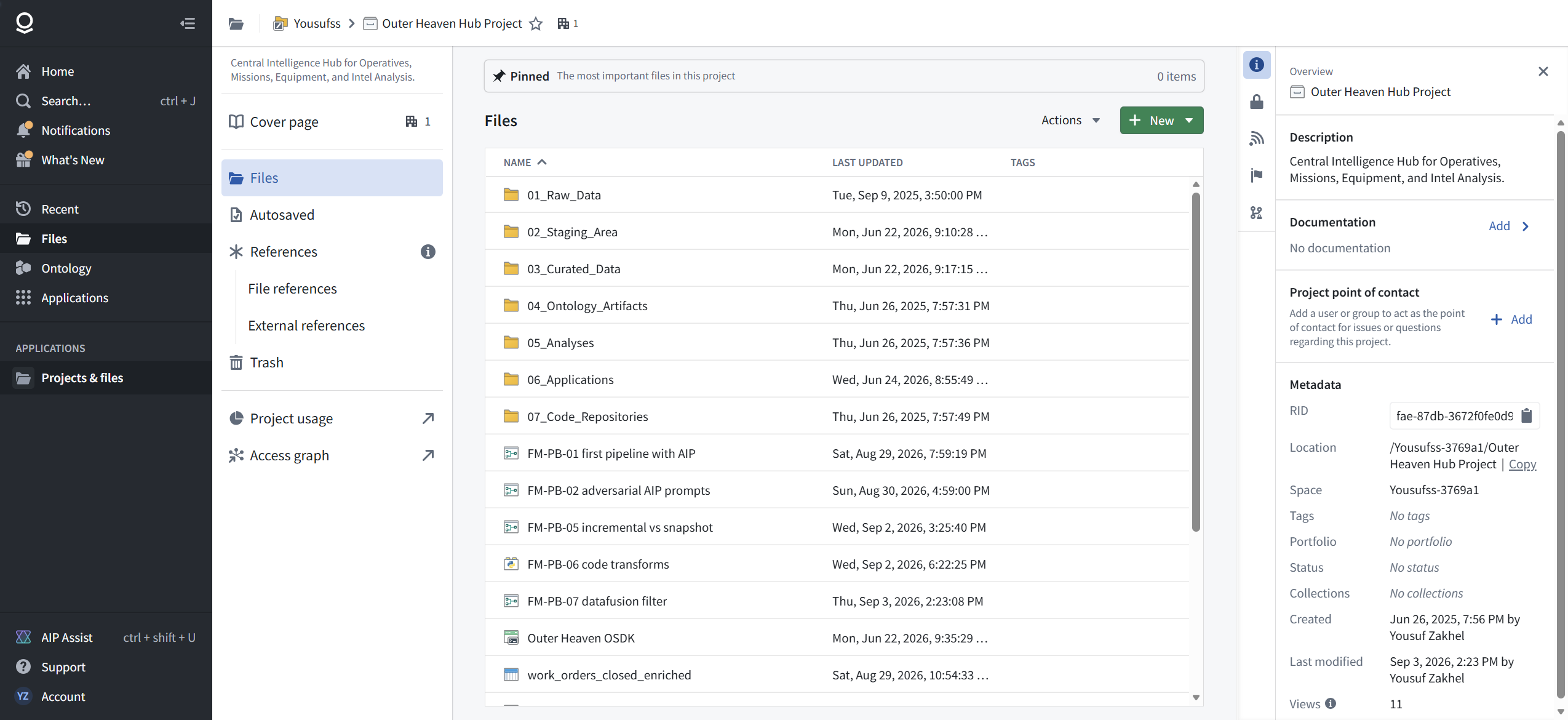
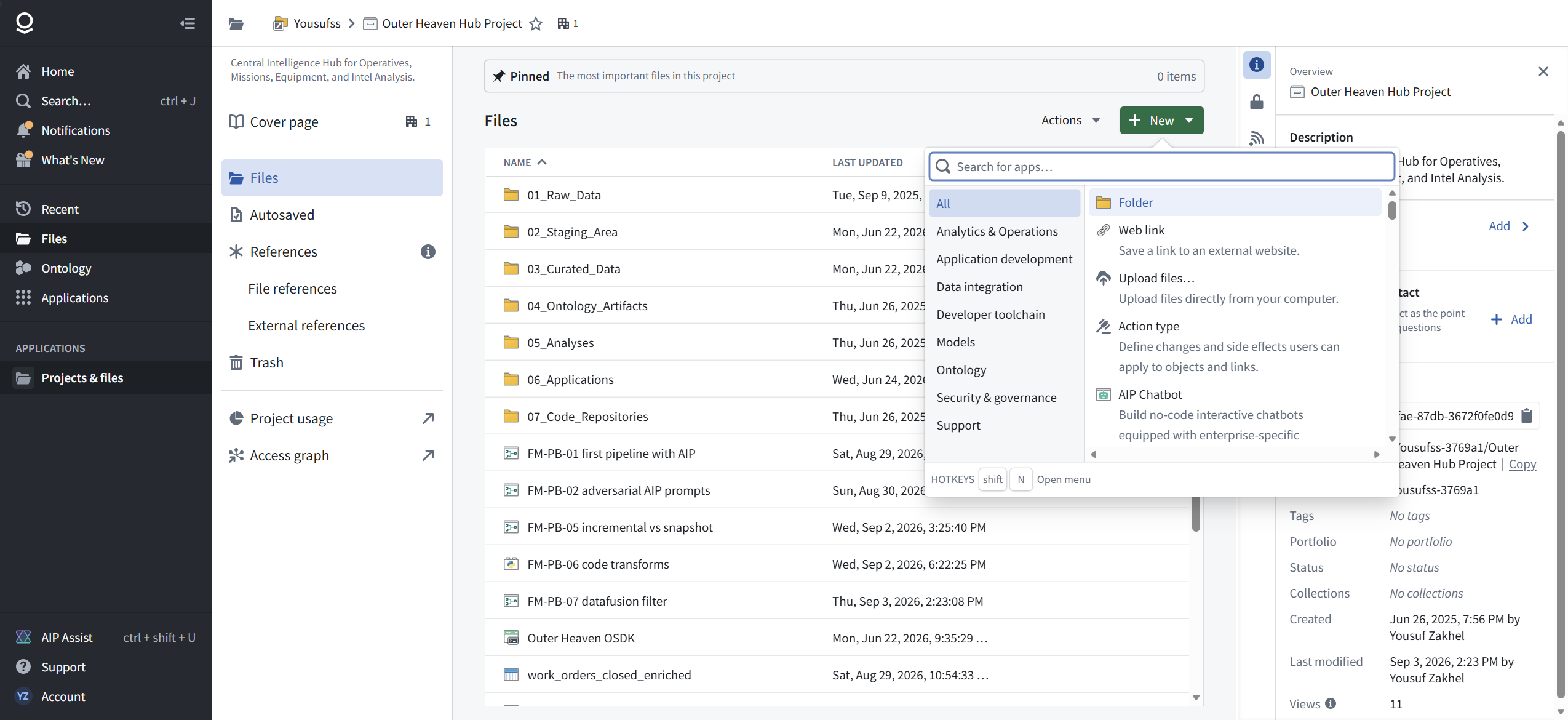

One access note for the field: on this enrollment, /workspace/home answers with "Permission denied" and a hint that an administrator may have disabled the application or excluded it from the plan. Entry through the project folder works fine. If your home page ever 404s on a fresh enrollment, check the path before you check your account.

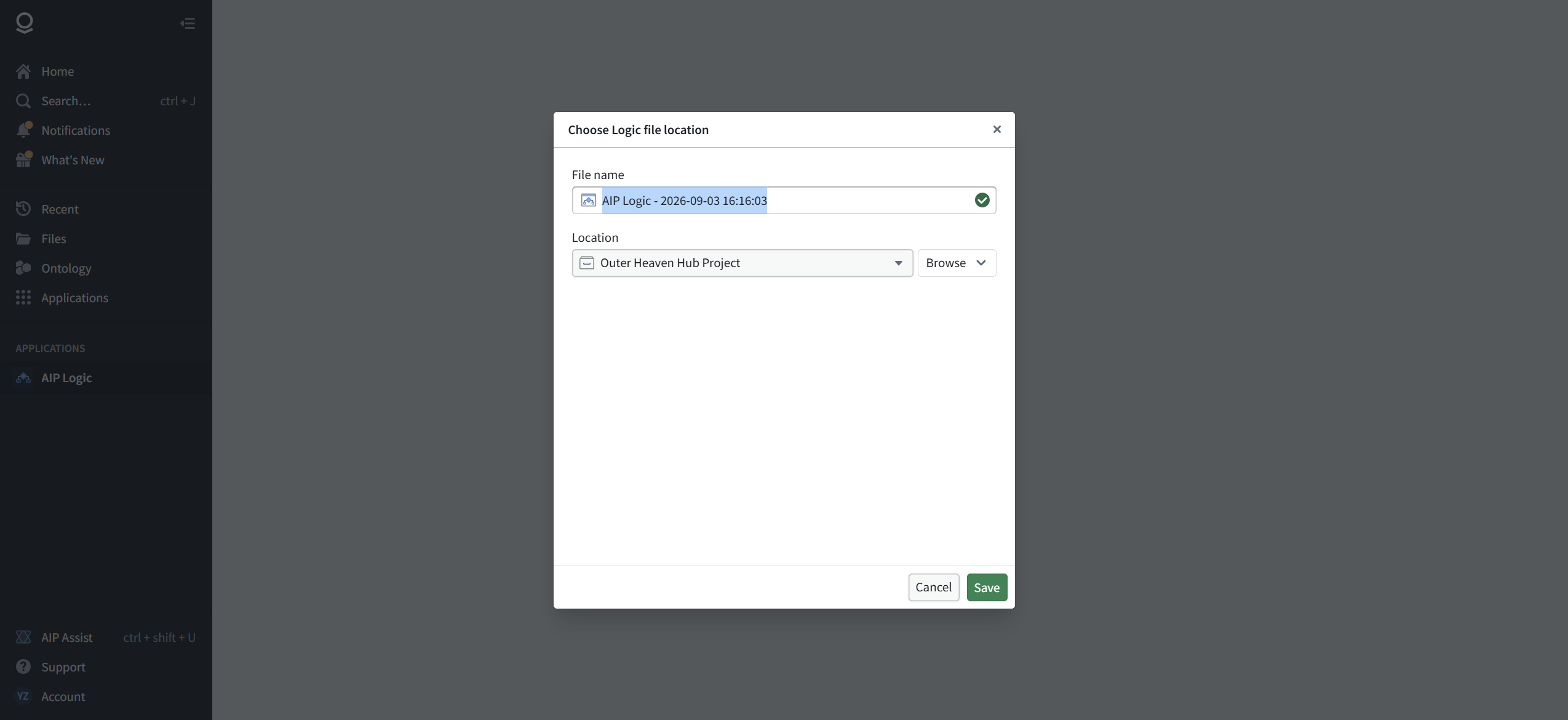
The creation modal asks for a name and a location. Name it like an operator, not like the default timestamp. Ours is "FM-AIP-01 work order triage".
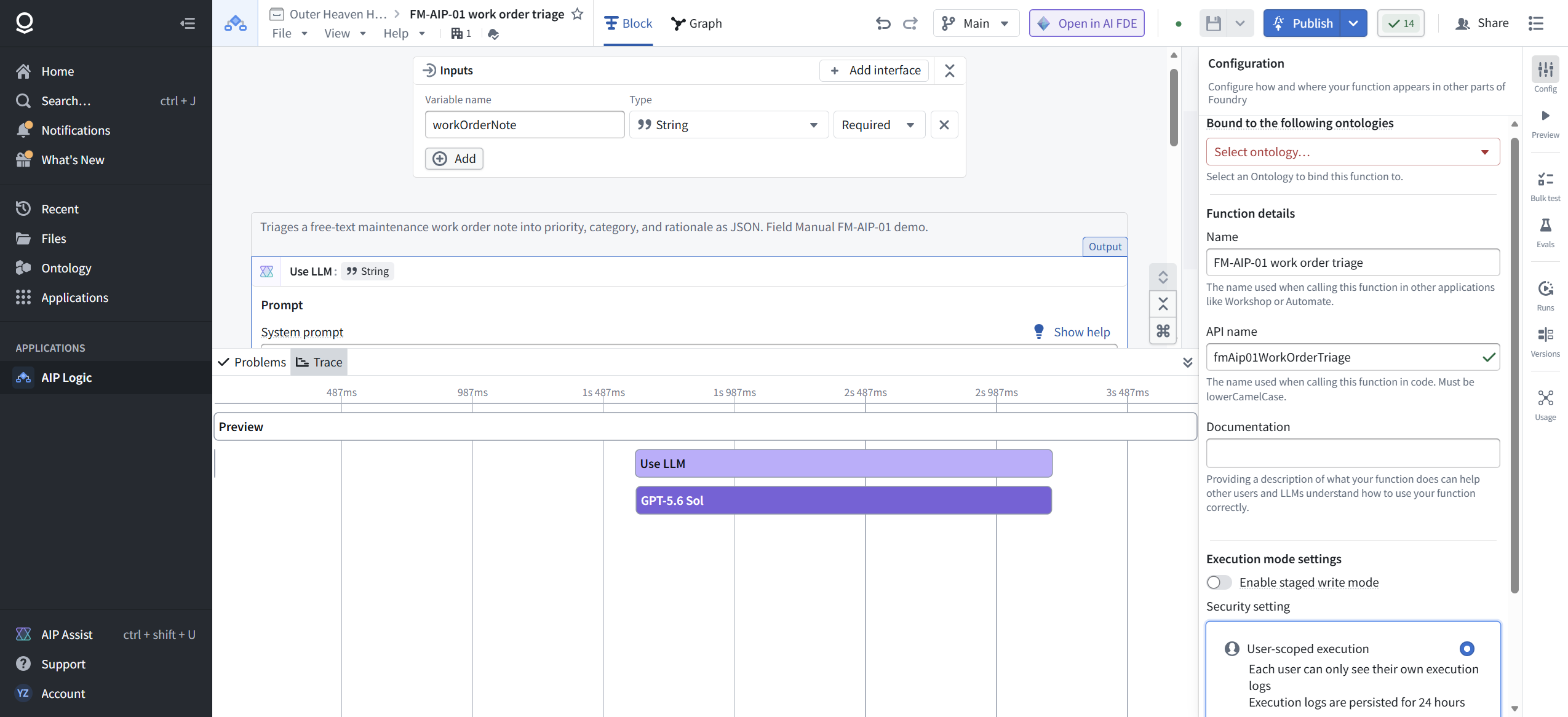
The editor opens with the whole story on one screen. Canvas in the middle: an Inputs node, an empty middle, an Output node, and two starter templates (Retrieval augmented generation and Entity Extraction). Right side: the Debugger, where preview runs happen. Bottom: Problems and Trace. Right rail: Config, Preview, Bulk test, Evals, Runs, Versions, Usage.
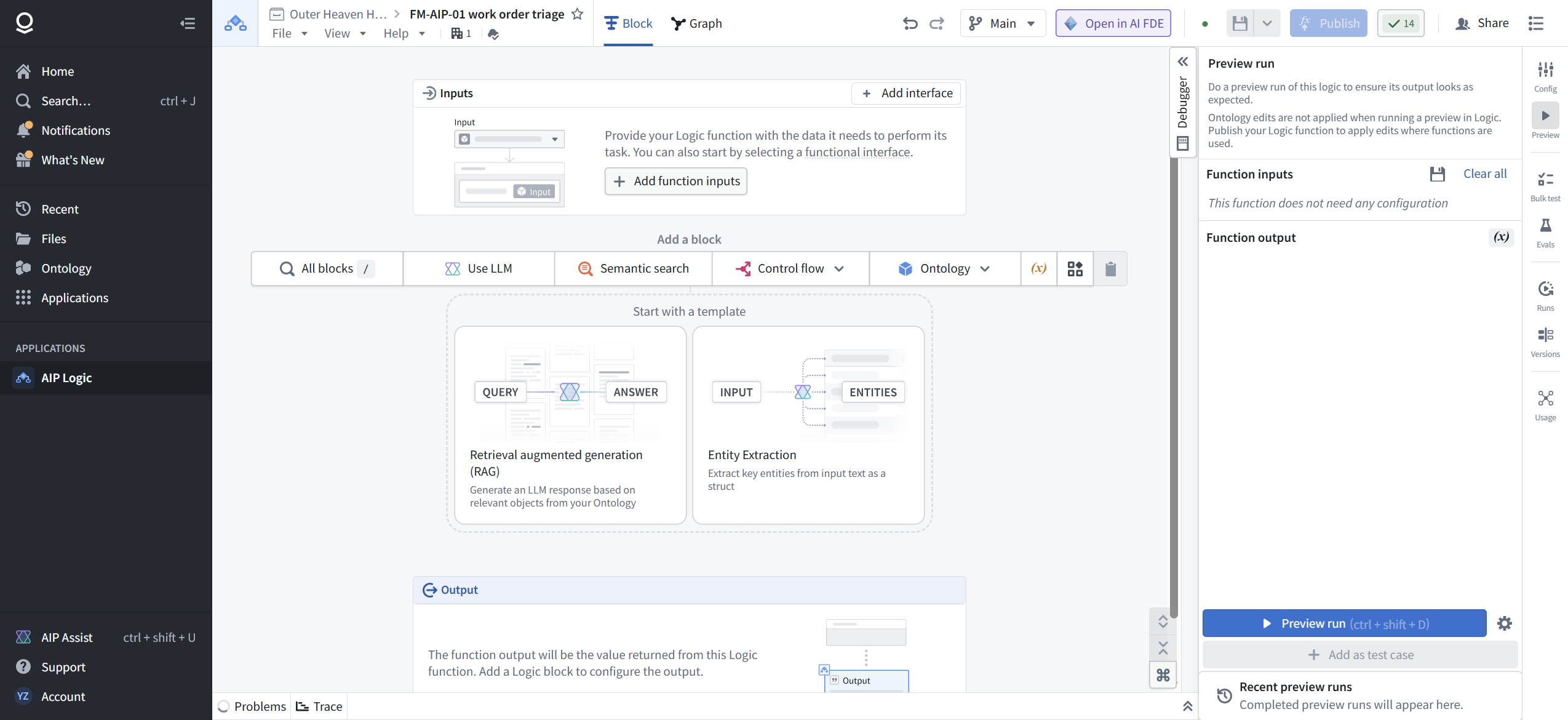
One line in the Debugger deserves a permanent place in your head: "Ontology edits are not applied when running a preview in Logic. Publish your Logic function to apply edits where functions are used." Preview is a rehearsal. Publish is the show.
[ STEP 2: LEARN THE BLOCK SHELF, AND ITS HARD EDGE ]
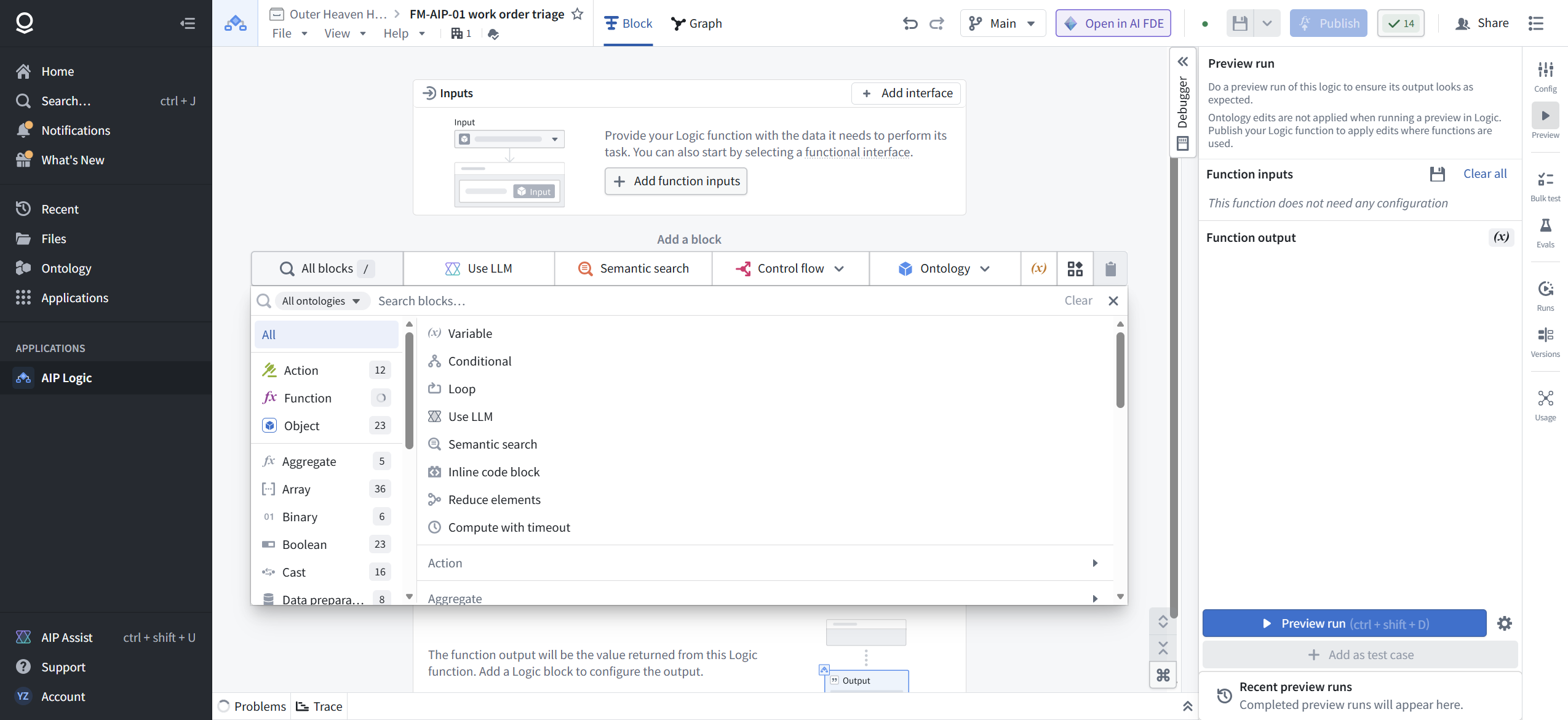
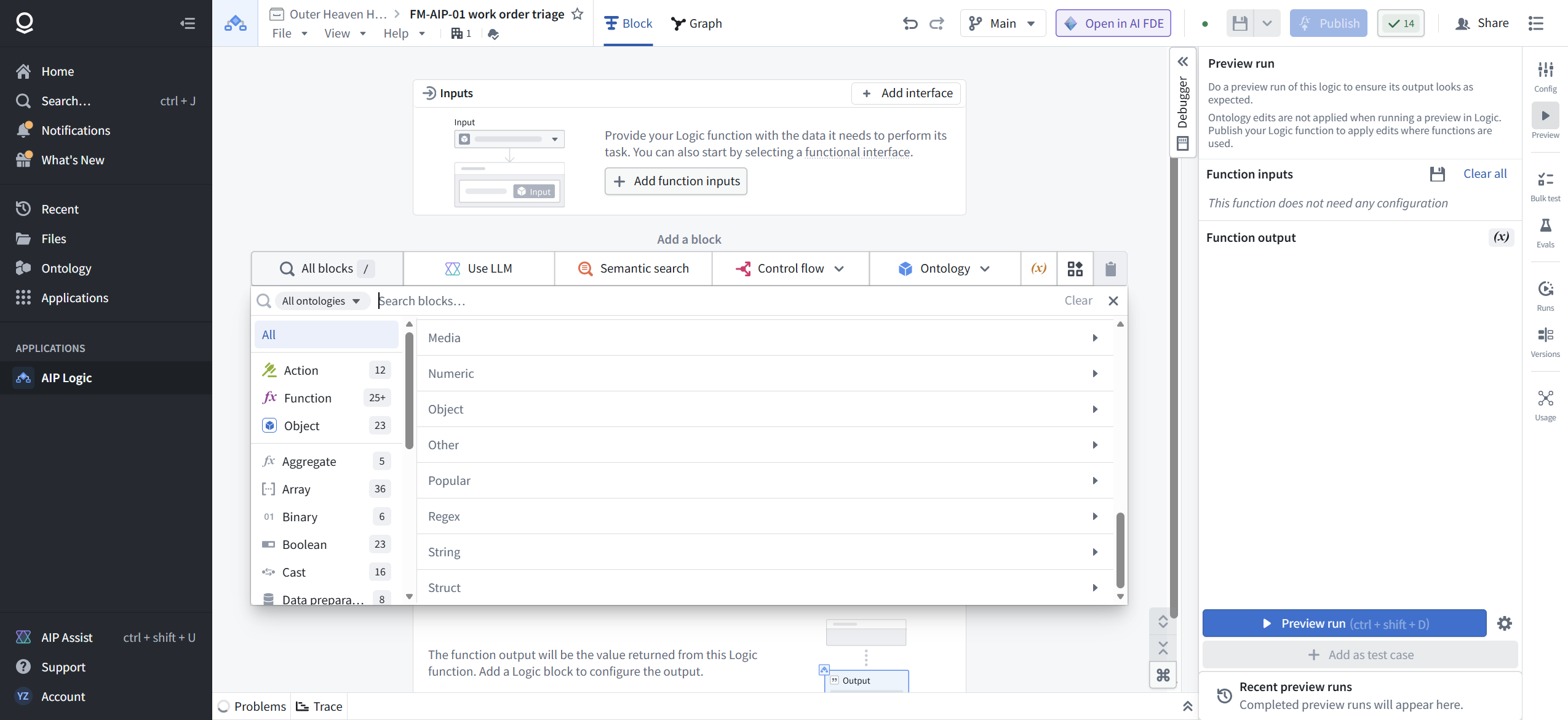
Click All blocks. The catalog is 21 categories: Action (12), Function (25+), Object (23), Aggregate (5), Array (36), Binary (6), Boolean (23), Cast (16), Data preparation (8), Datetime (21), Distance measurement (1), File (3), Geospatial (73), Map (6), Media (17), Numeric (37), Other (7), Popular (3), Regex (5), String (43), Struct (6). The pinned essentials at the top: Variable, Conditional, Loop, Use LLM, Semantic search, Inline code block, Reduce elements, Compute with timeout.
Now the part that saves you an hour someday. Field repair FR-1: search the catalog for "dataset". You get "No results matching "dataset"" and every category count drops to zero.
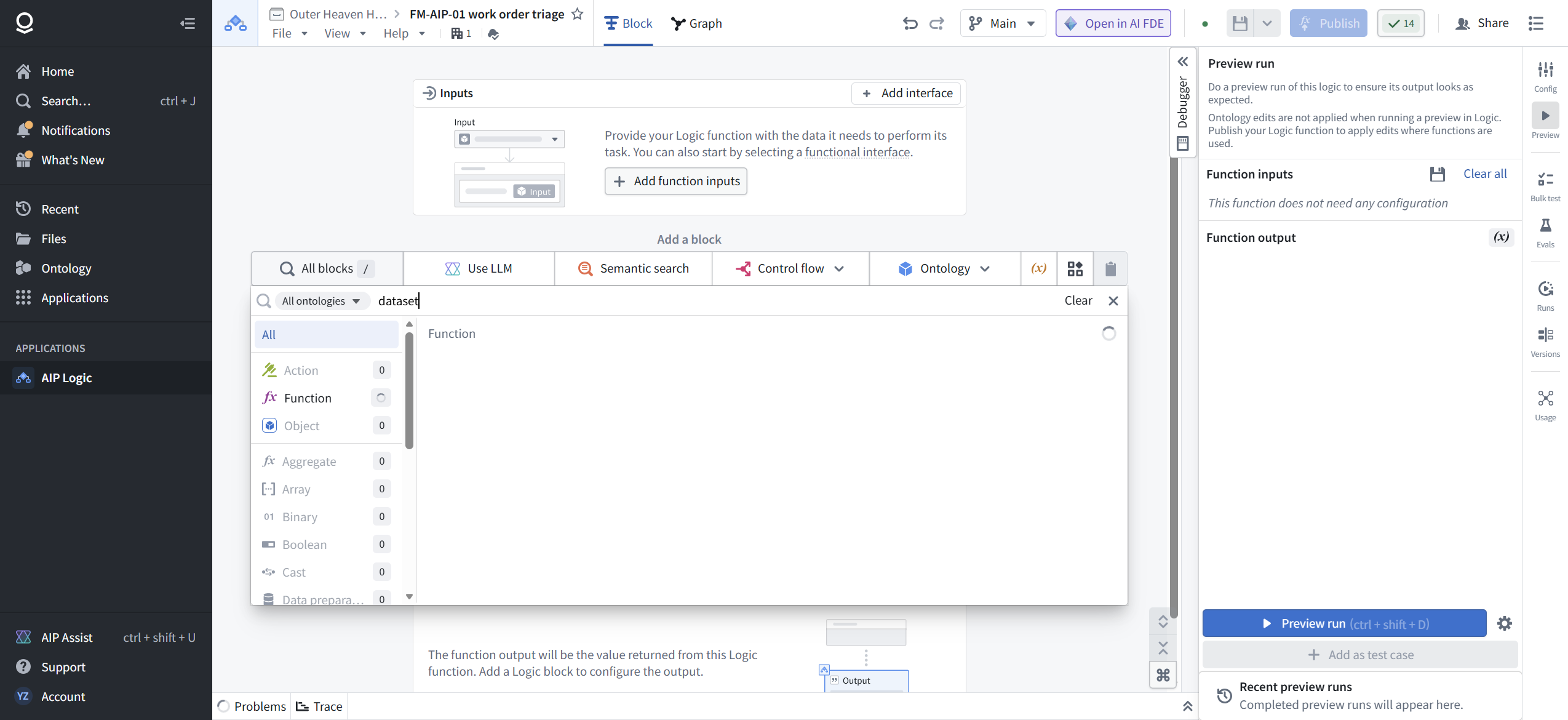
AIP Logic cannot read a dataset. Not your clean pipeline output, not anything. This is not a permissions issue or a missing feature flag; the concept does not exist in the block library. Data reaches a Logic function two ways: passed in as function inputs by whatever calls it, or pulled from ontology objects by Object blocks. If your source of truth is a dataset, something upstream (a pipeline, the ontology layer, a caller) has to lift it into one of those shapes first. Design around this. Everyone who skips this discovery builds the wrong thing on a whiteboard first.
[ STEP 3: DEFINE THE INPUT ]
On the Inputs node, Add function inputs. One row: name, type, required. We named ours work_order_note and the editor immediately pushed back: names must be lowerCamelCase. Field repair FR-2: the editor enforces this live, warning triangle included. Final name: workOrderNote, type String, Required.
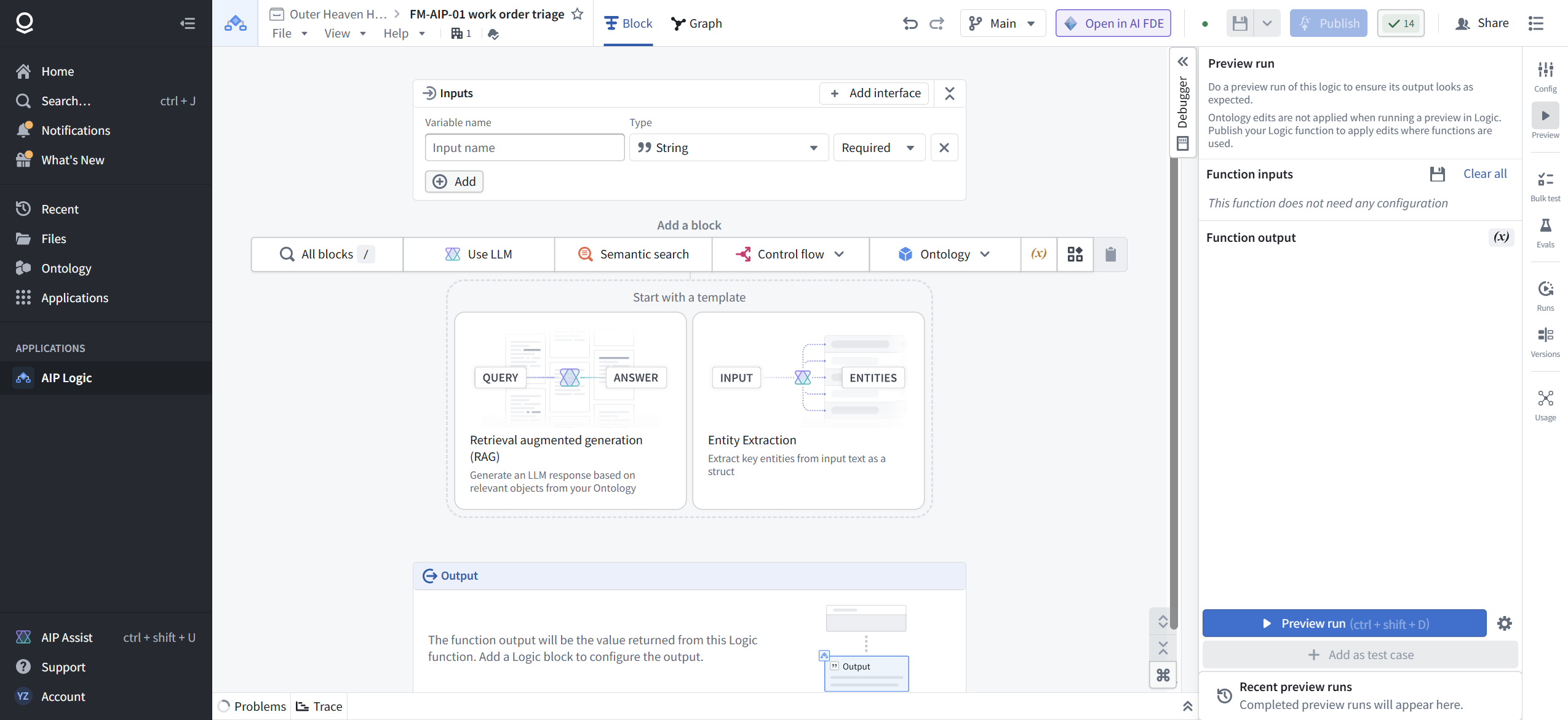
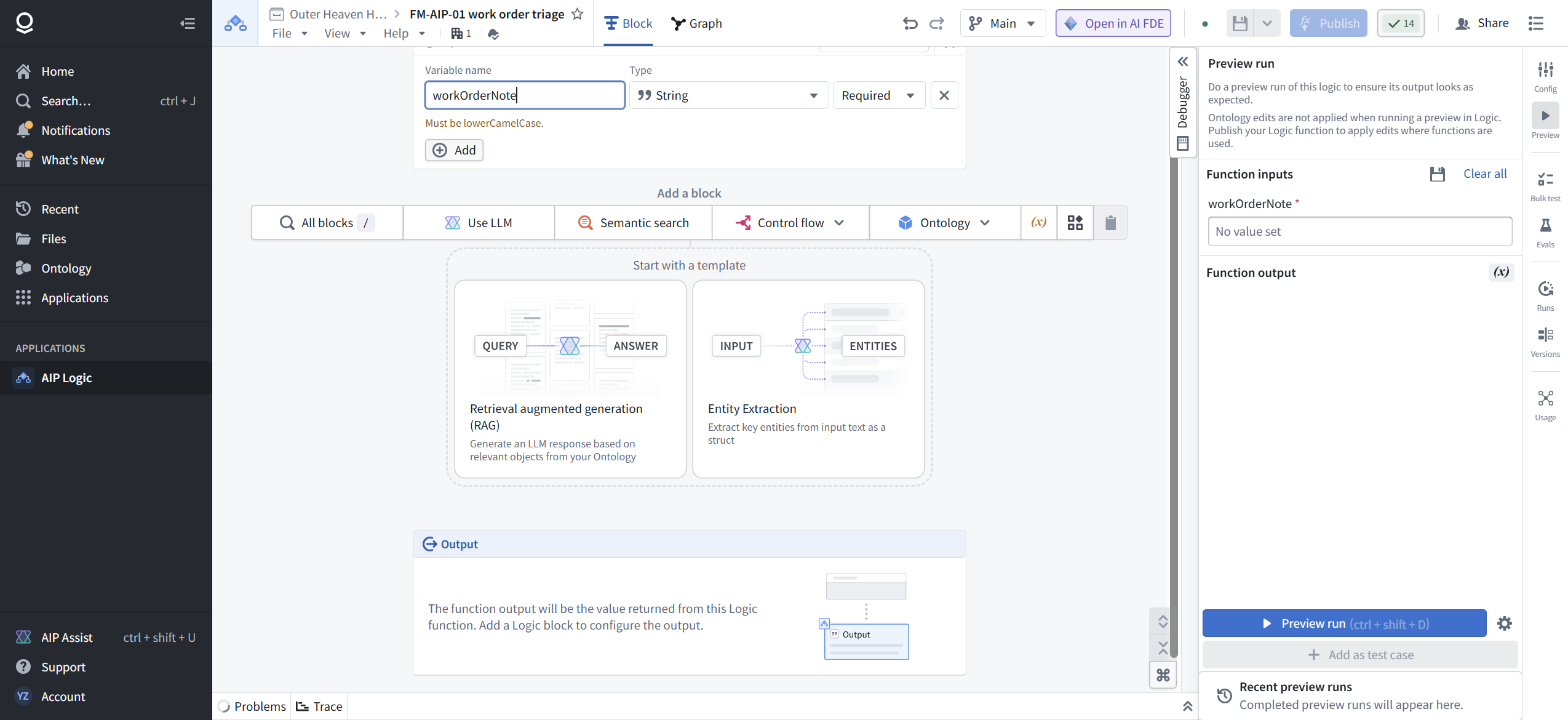
This looks cosmetic. It is not. The input name becomes part of the function's public contract. Workshop forms, Automate rules, and code in repositories will all reference workOrderNote by exactly this spelling.
[ STEP 4: ADD THE LLM BLOCK AND WRITE THE CONTRACT ]
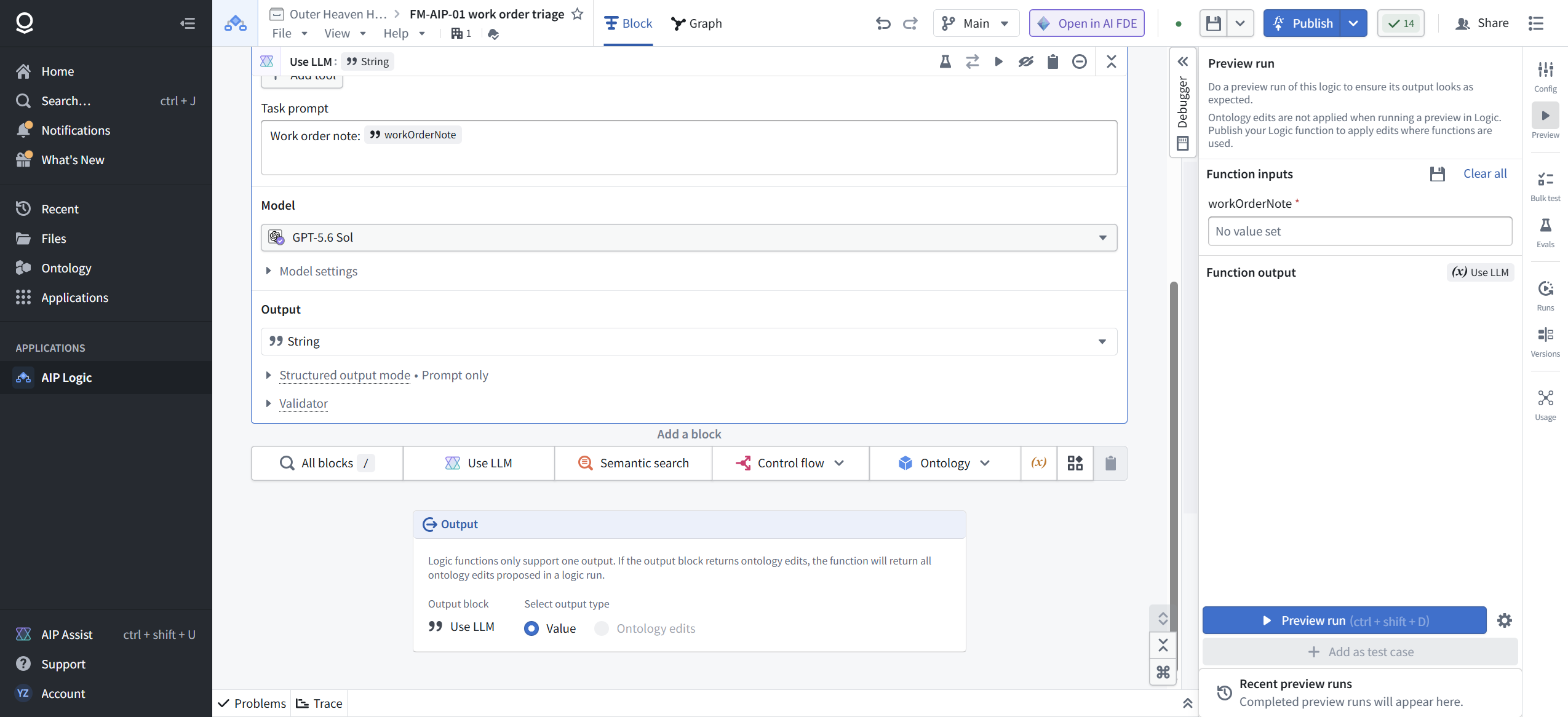
Click Use LLM in the block toolbar. The block expands with five sections: System prompt, Tools, Task prompt, Model, and Output.
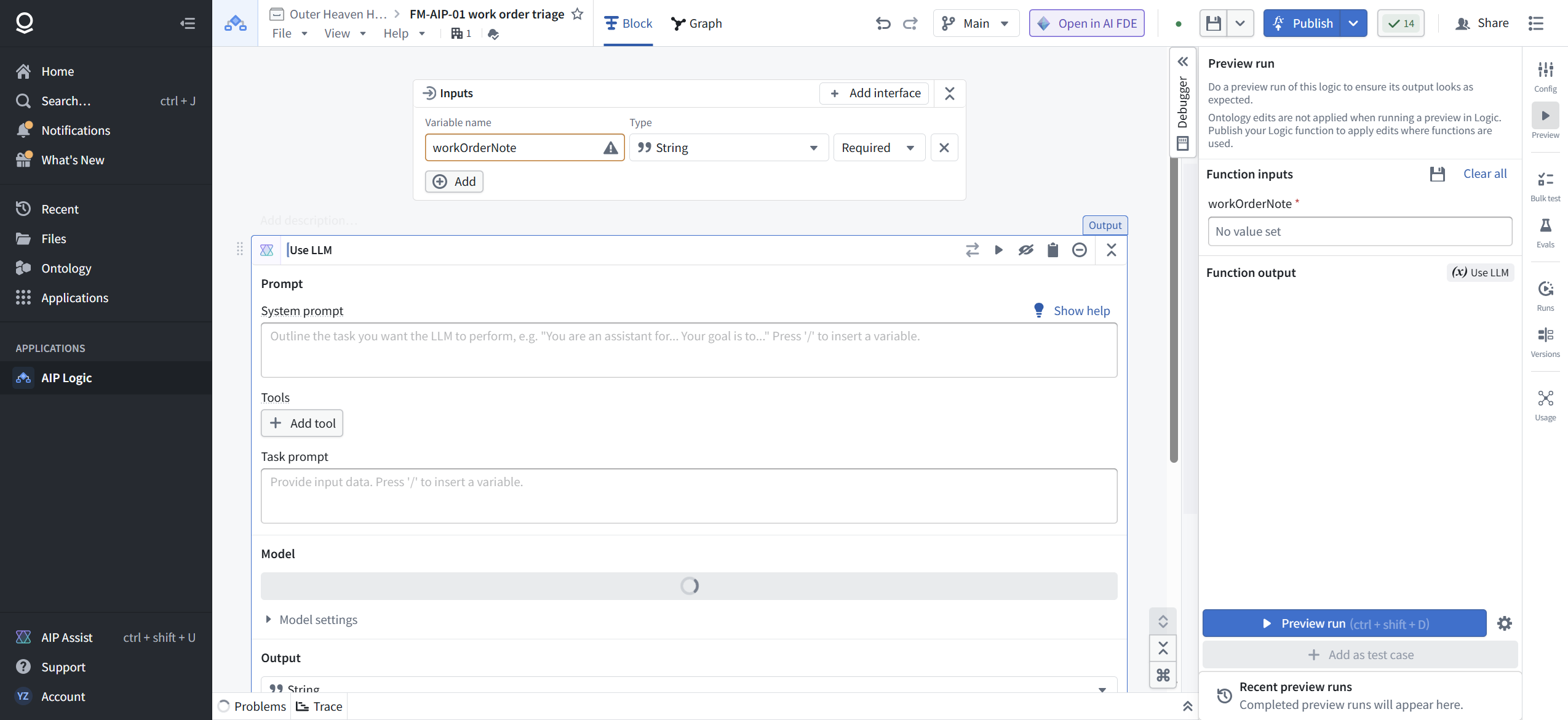
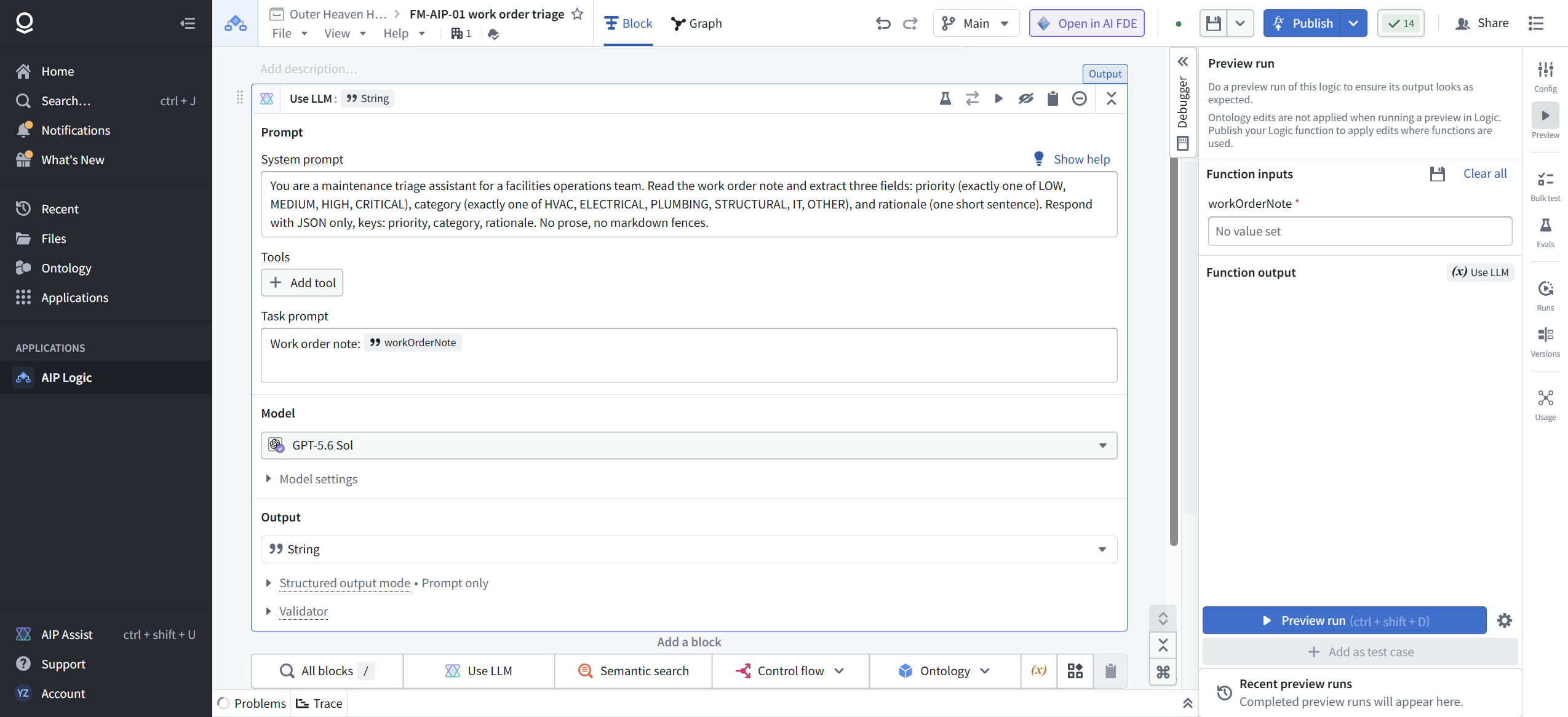
The System prompt is where you stop the model from freelancing. Ours, verbatim:
"You are a maintenance triage assistant for a facilities operations team. Read the work order note and extract three fields: priority (exactly one of LOW, MEDIUM, HIGH, CRITICAL), category (exactly one of HVAC, ELECTRICAL, PLUMBING, STRUCTURAL, IT, OTHER), and rationale (one short sentence). Respond with JSON only, keys: priority, category, rationale. No prose, no markdown fences."
Three things doing work here: closed enums for both fields (no "Medium-High" inventions), named JSON keys, and an explicit ban on prose and code fences. The fence ban matters because downstream parsing dies on a backtick.
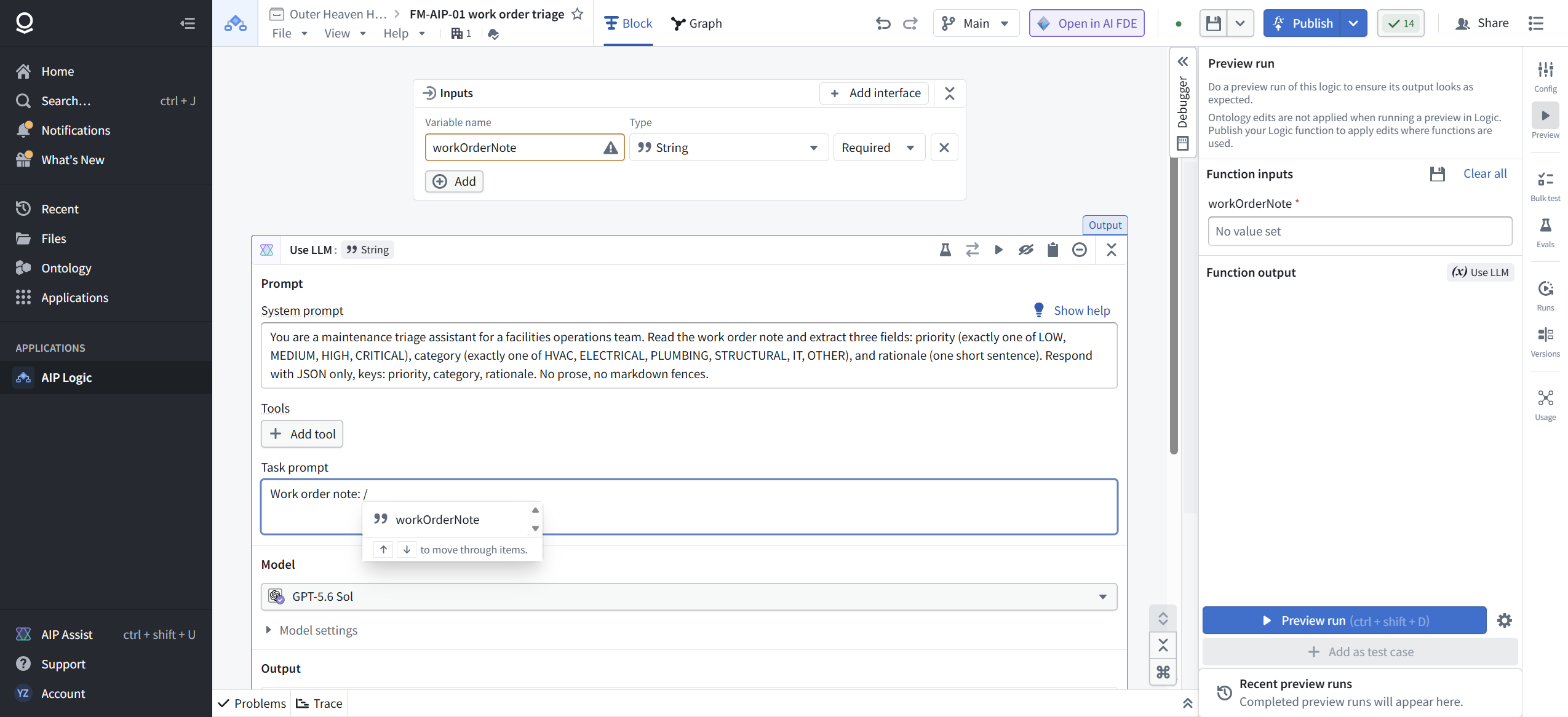
The Task prompt carries the data. Type "Work order note: " then press / and pick workOrderNote from the variable menu. The chip you see is a live reference, not text you typed.

[ STEP 5: KNOW YOUR MODEL SHELF ]
The Model dropdown defaulted to GPT-5.6 Sol. Hover any entry and you get its card: class, cost, speed, context window, max output, training cutoff, capabilities, and your enrollment's rate limits. GPT-5.6 Sol's card on our enrollment: Heavyweight, Medium cost, Medium speed, 1.1M token context, 128K max output, training data up to Feb 2026, Text and Vision, 350K TPM and 122 RPM.
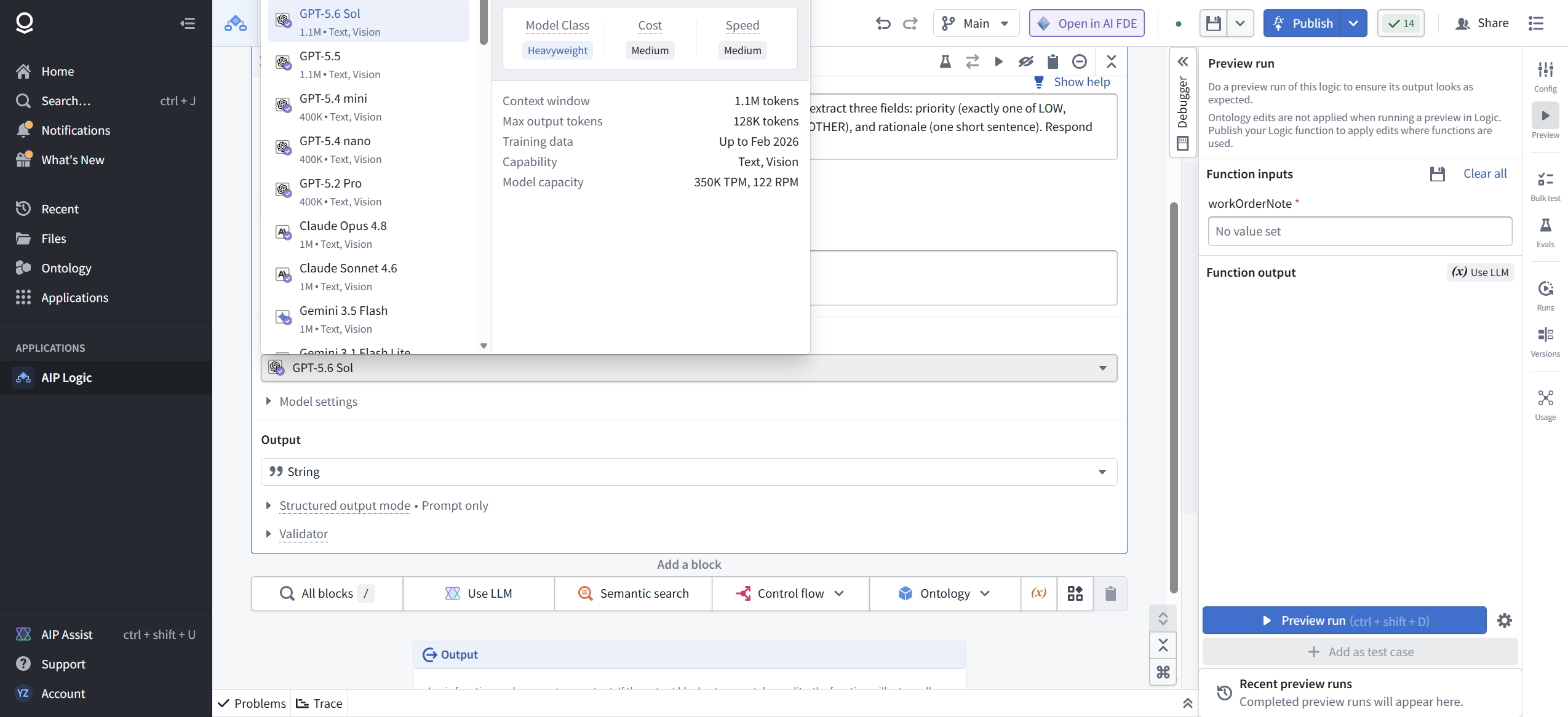
The shelf holds 50-plus models in three tiers. Recommended on this enrollment: GPT-5.6 Terra, GPT-5.6 Luna, GPT-5.4 Pro, Claude Opus 5, Claude Sonnet 5, Claude Haiku 4.5, Gemini 3.1 Pro (Preview), Gemini 3.6 Flash, Gemini 3.5 Flash-Lite. The Additional tier runs deep (GPT-5.6 Sol, GPT-5.5, the Claude 4.x family, Gemini 3.x, the Codex line, o1/o3/o4-mini, and Schematic 7B, the only entry listed with "Controlled schema" instead of Vision). Legacy keeps the elders alive: GPT-4o, Claude 3 Haiku, Gemini 2.5, o3-pro, and a purpose-built Document Information Extraction model with an 8.2K window.
We kept the default. For triage of a 30-word note, the interesting variable is the prompt, not the model.
[ STEP 6: PREVIEW, THREE TIMES, WITH ESCALATING SEVERITY ]
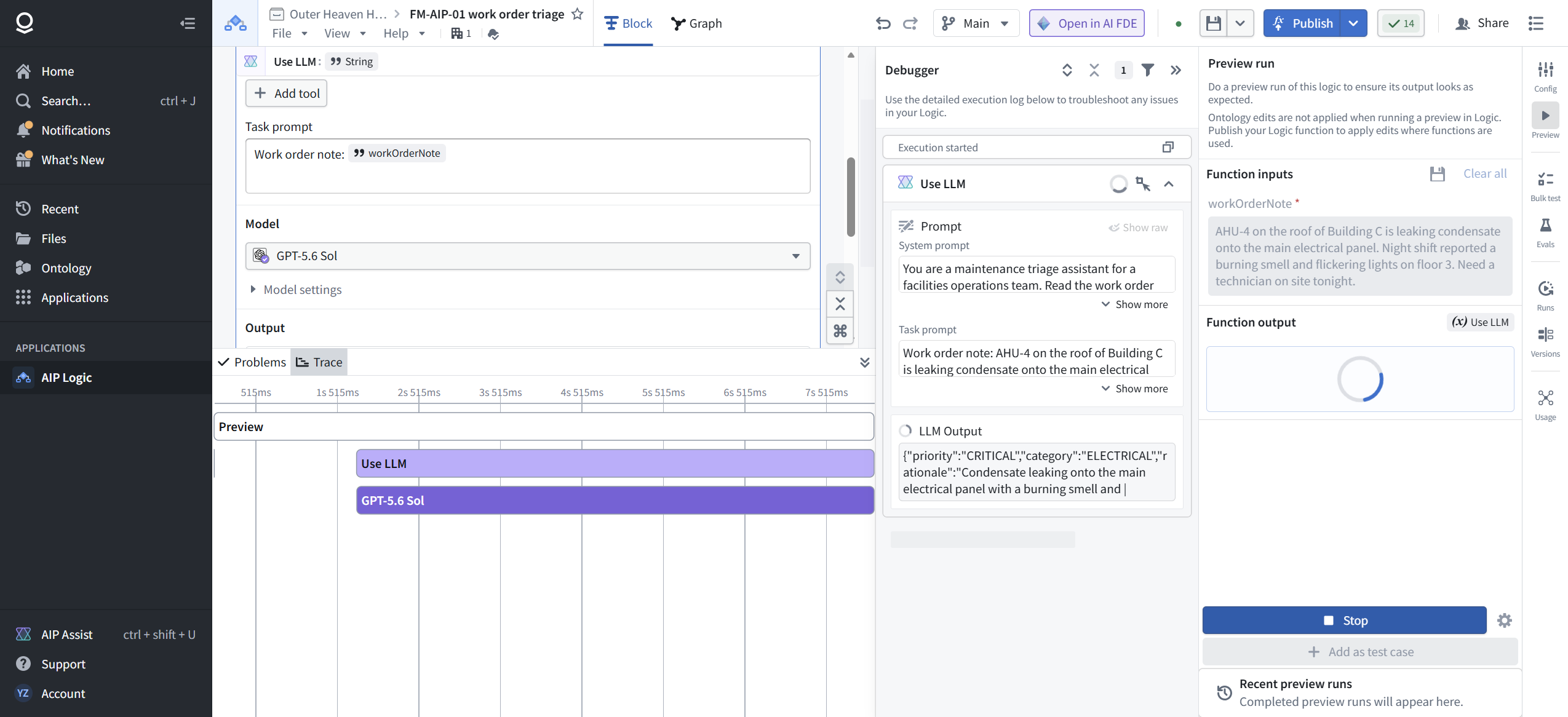
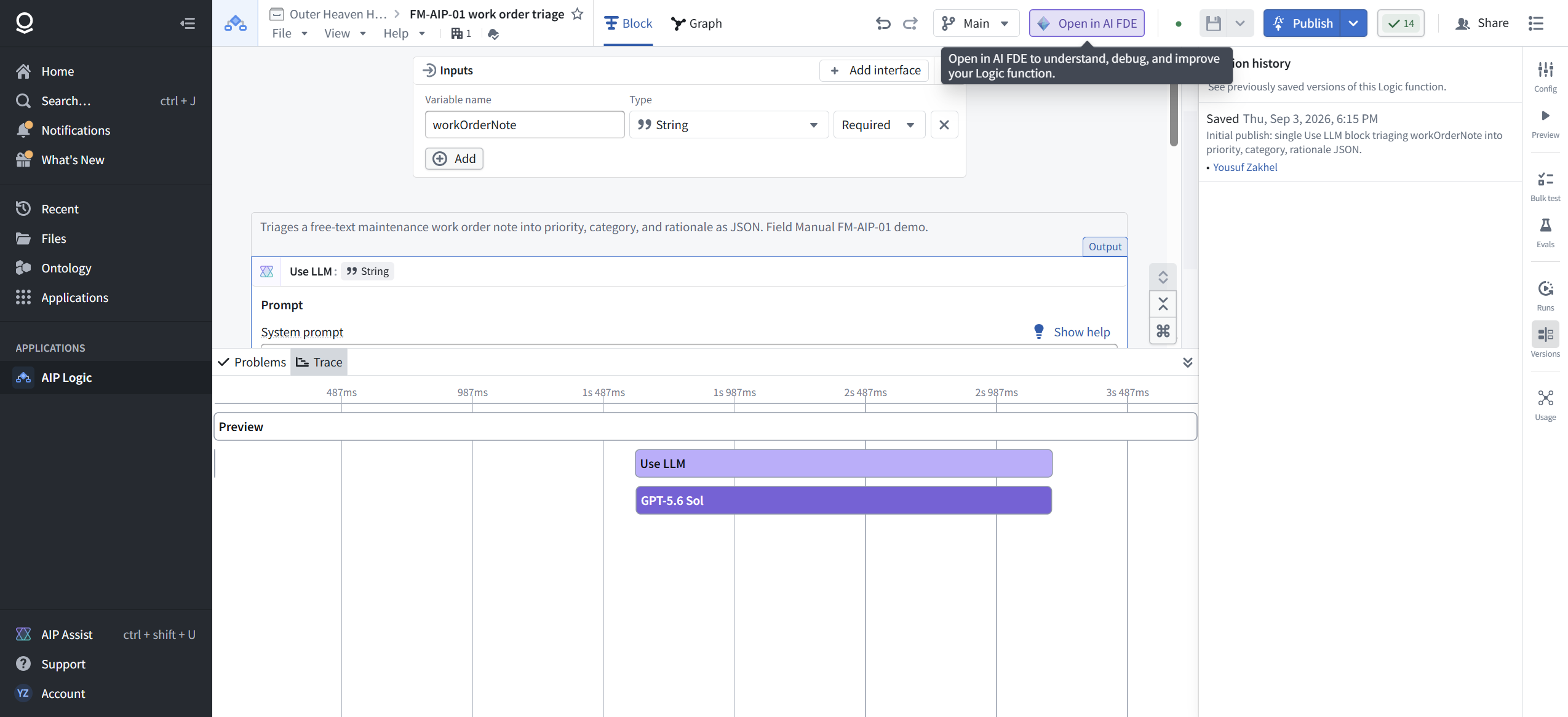
In the Debugger, set a value for workOrderNote and hit Preview run (ctrl+shift+D). While it runs, the button flips to Stop. The Trace tab draws a waterfall: the Use LLM span with the model call nested inside.
Run 1, the emergency: "AHU-4 on the roof of Building C is leaking condensate onto the main electrical panel. Night shift reported a burning smell and flickering lights on floor 3. Need a technician on site tonight."
Result, verbatim, in 9.35 seconds:
{"priority":"CRITICAL","category":"ELECTRICAL","rationale":"Condensate leaking onto the main electrical panel with a burning smell and flickering lights presents an immediate fire and electrical hazard."}
Token usage by model: GPT-5.6 Sol, 1 call, 145 prompt tokens, 46 completion tokens. The meter is always this visible. Expand it on every run until it becomes a reflex.
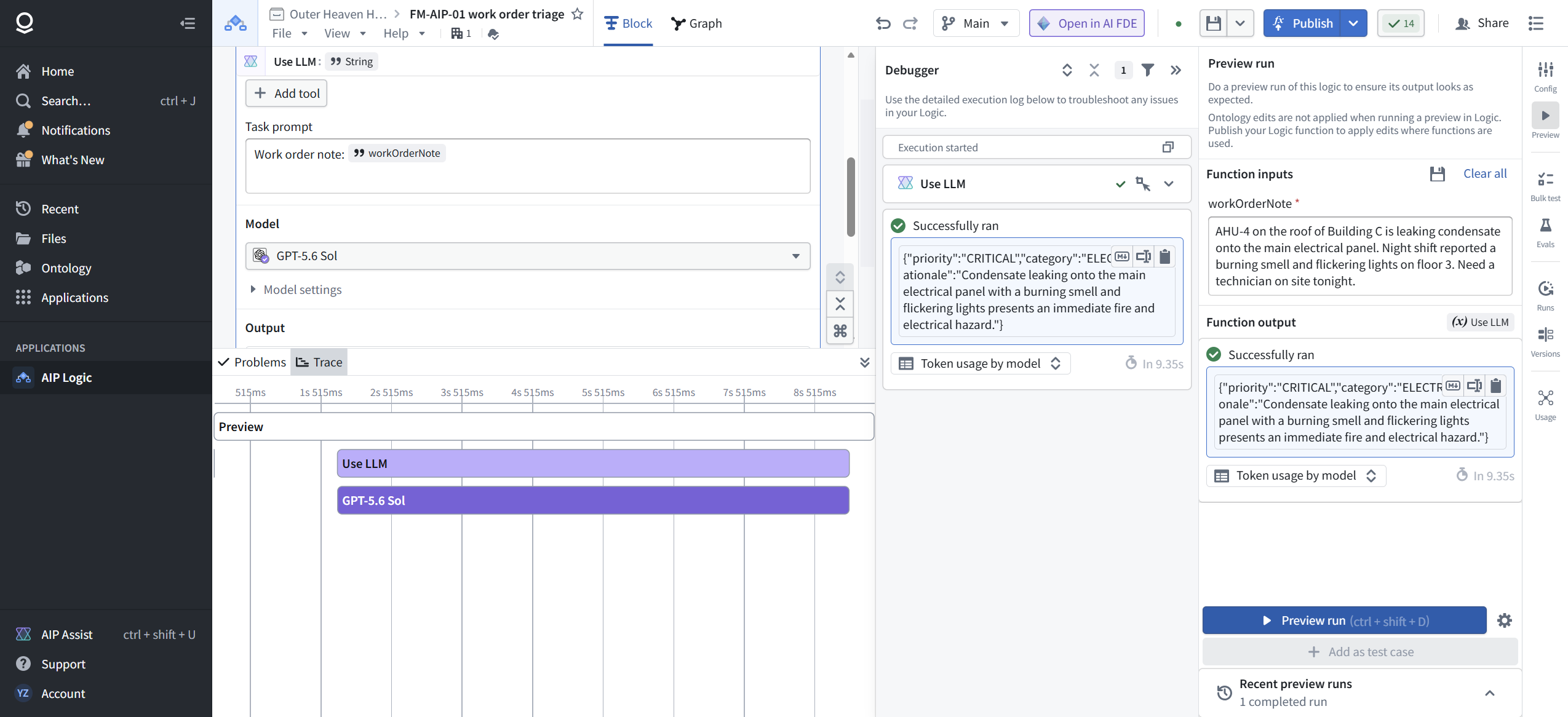
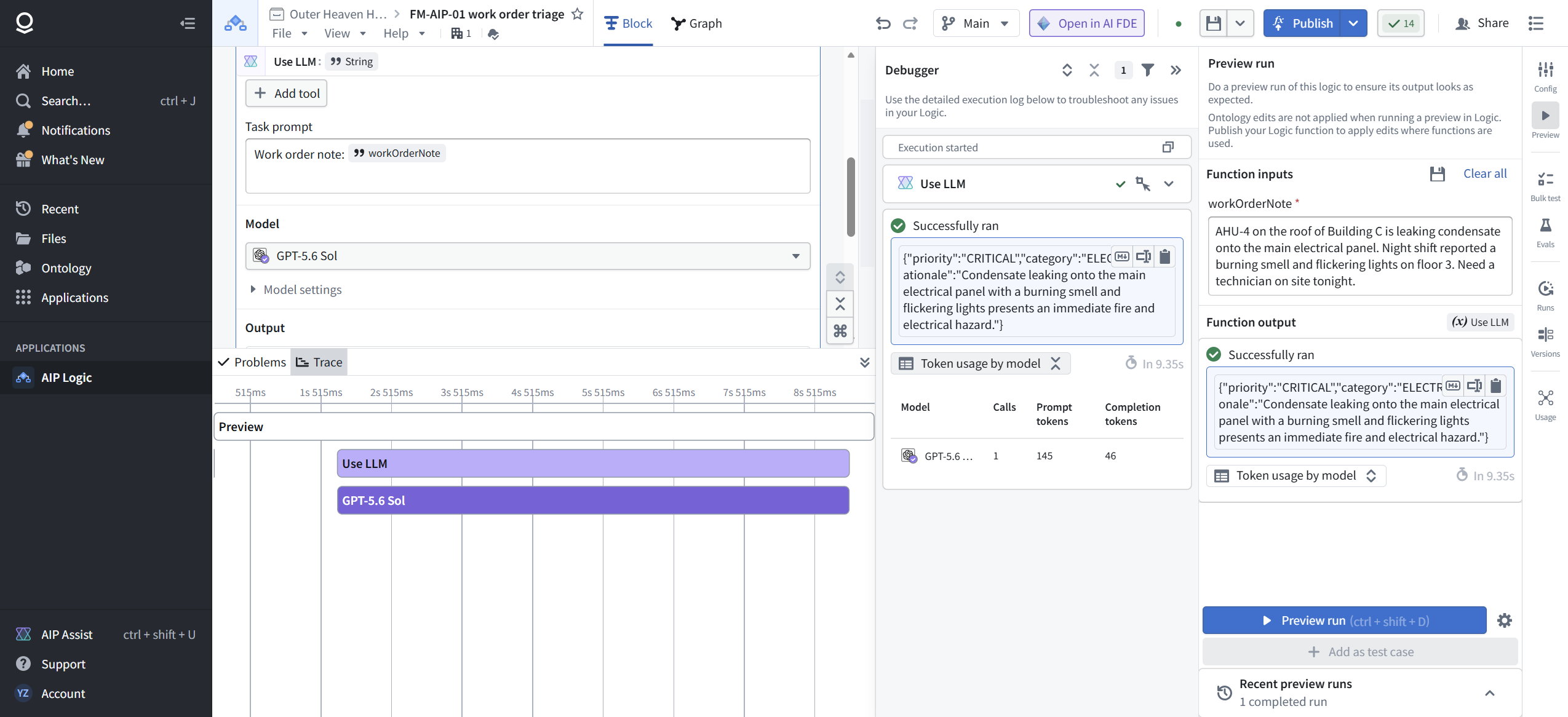
Read that result the way a maintenance lead would. We expected HVAC (the note names an air handler). The model said ELECTRICAL, and its rationale tells you why: it triaged the consequence, not the asset. Water on an electrical panel is an electrical emergency. This is the lesson AIP teaches over and over: the model does what the situation implies, not what your org chart assumes. If you want asset-based categorization, that is a prompt decision, and now you know to make it.
Run 2, the banal: "Break room light on floor 2 flickers occasionally. Annoying but not urgent, please swap the bulb during regular rounds." Result in 3.72 seconds: priority LOW, category ELECTRICAL, rationale "An occasionally flickering break room light is non-urgent and can be addressed during regular rounds."

Run 3, the ambiguous one: "Server room AC failed again. Temperature at 31C and rising. Third failure this quarter. Two racks are already thermal throttling." Result in 3.75 seconds: priority CRITICAL, category HVAC, rationale "Server room cooling has failed, temperatures are rising, and two racks are already thermal throttling." The model weighed the trend ("rising") and the impact ("throttling"), not just the named asset.

Three runs, three defensible triages, clean enum-respecting JSON every time. Total meter for all three: about 17 seconds and under 600 tokens. This is the credibility deposit version of AIP: no drama, correct output, visible cost.
[ STEP 7: PUBLISH, WHICH IS NOT THE PUBLISH BUTTON ]
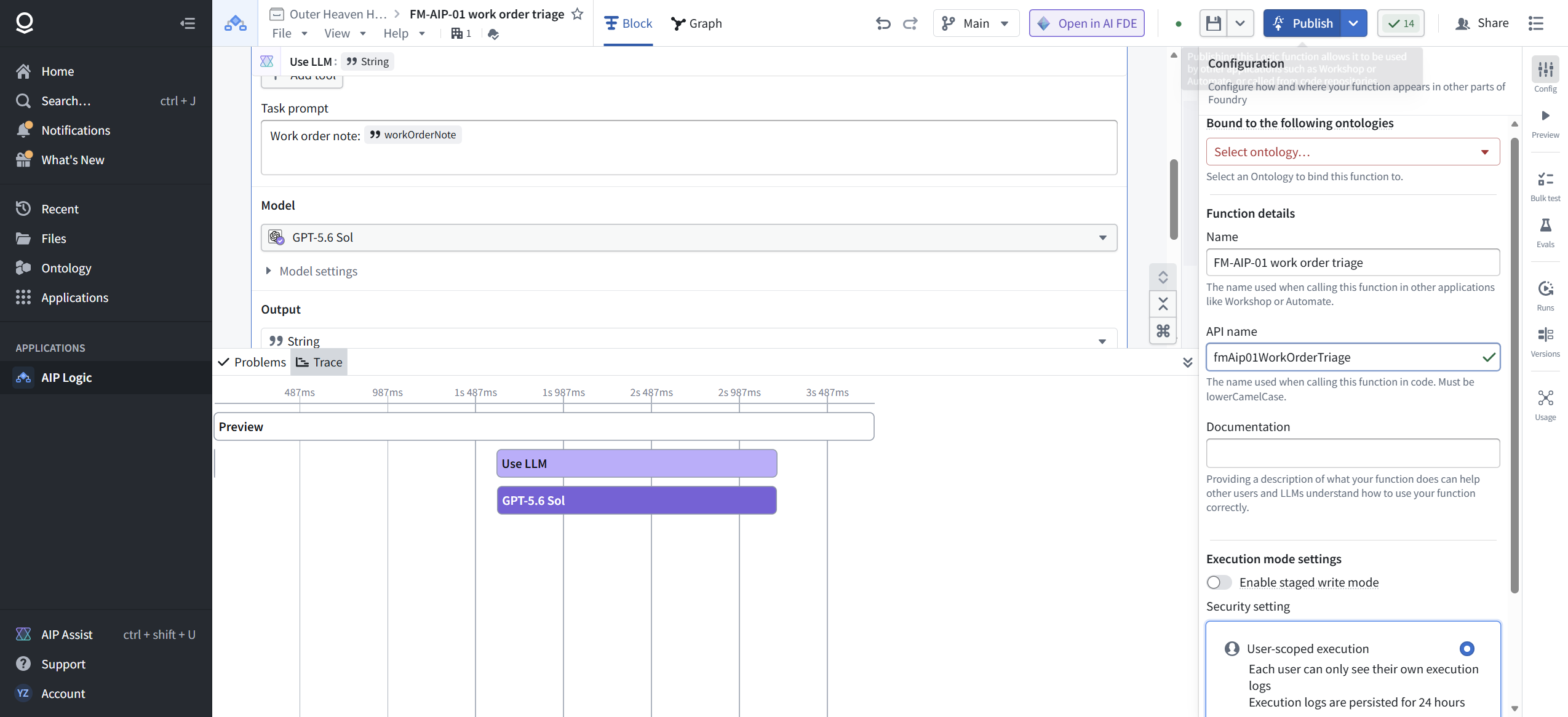
Field repair FR-3: the big blue Publish button does not publish. It opens a Configuration sidebar: ontology binding, function name, API name (fmAip01WorkOrderTriage, lowerCamelCase enforced again), documentation, staged write mode, and a security choice worth reading. User-scoped execution means each user sees only their own execution logs, kept for 24 hours. Project-scoped means everyone with project access sees the logs, and the last 10,000 are persisted. Default is user-scoped.

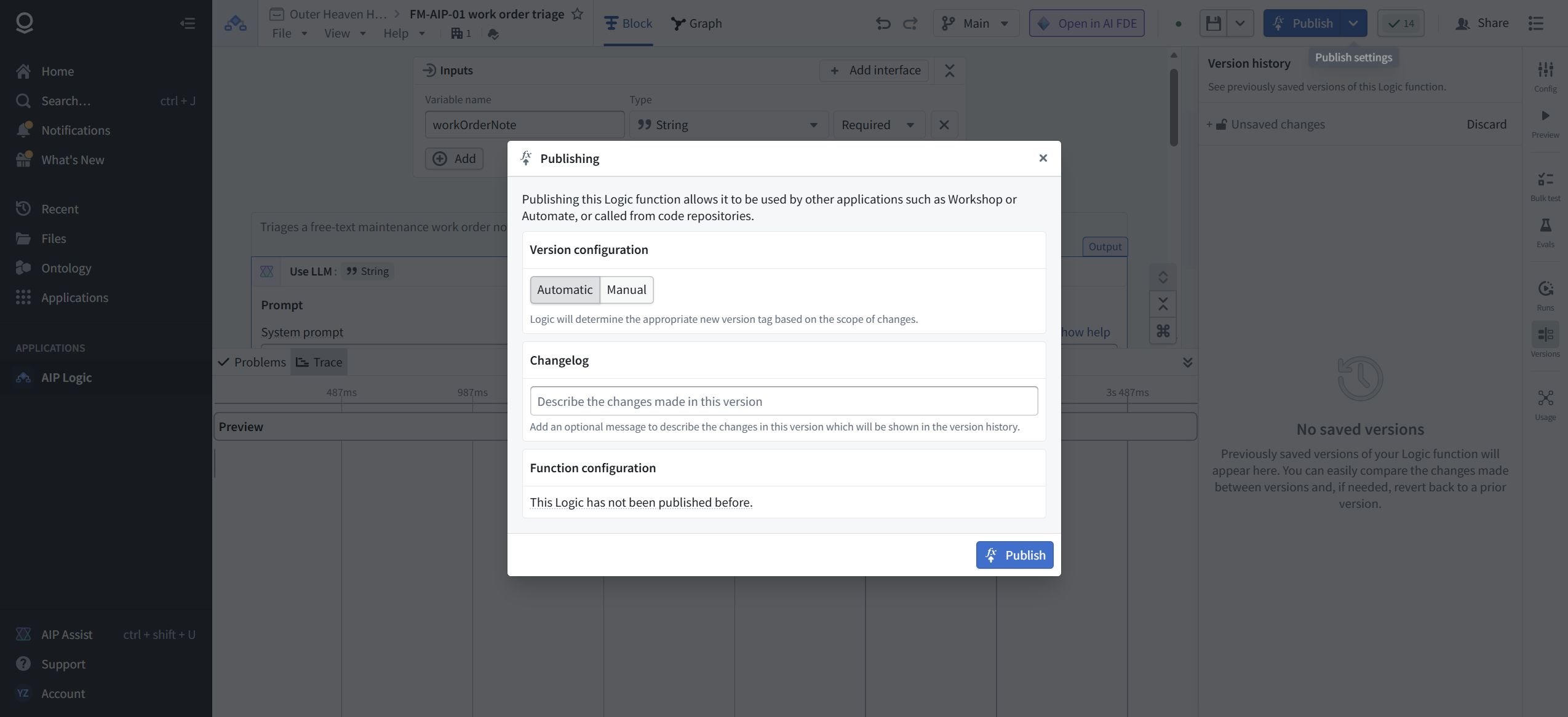
The actual publish lives behind the chevron next to the Publish button. That opens the Publishing modal: version configuration (Automatic, where Logic picks the version tag from the scope of changes, or Manual), a changelog field, and the honest status line "This Logic has not been published before." The modal's own text tells you what publishing buys: the function becomes callable from Workshop, Automate, and code repositories.
Write a changelog like a professional ("Initial publish: single Use LLM block triaging workOrderNote into priority, category, rationale JSON.") and publish. Confirm it landed in Version history (ctrl+shift+H): "Saved Thu, Sep 3, 2026, 6:15 PM" with your changelog and your name.

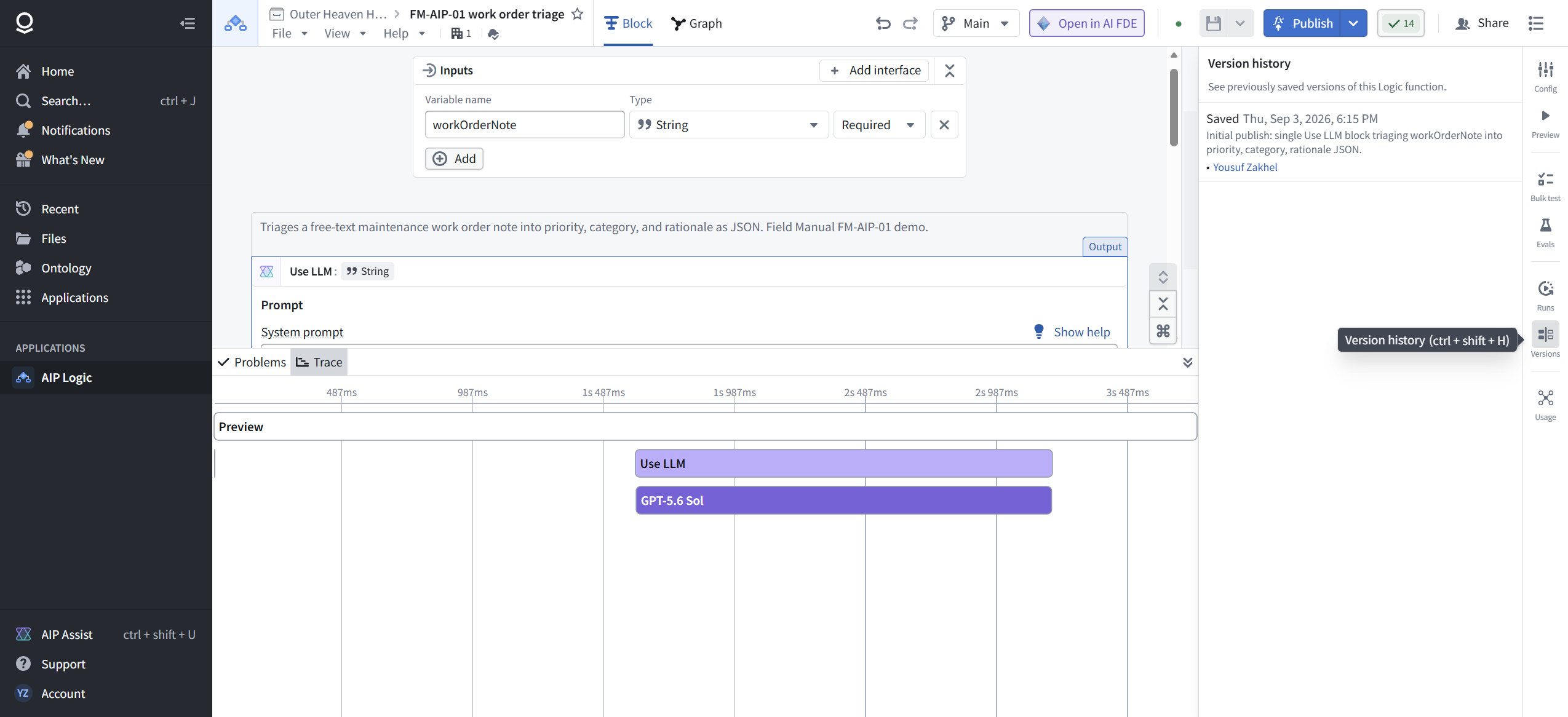
Until that entry exists, nothing downstream can call your function. Preview runs prove the logic works. The version entry proves it exists.
[ FIELD REPAIRS ]
FR-1: Logic cannot see datasets. A catalog search for "dataset" returns zero blocks across all 21 categories. Data enters through function inputs or ontology objects. If your source is a dataset, lift it upstream first. Symptom: you will look for a dataset input block that does not exist. Fix: pass values in as inputs, or put the data in the ontology.
FR-2: Names are lowerCamelCase, enforced live. Typing work_order_note gets you a warning triangle and a corrected workOrderNote. Applies to function inputs and the API name at publish time. These names are your public contract; callers reference them verbatim.
FR-3: The Publish button is a configuration panel, not a publish action. The real publish is the chevron beside it, which opens the Publishing modal with version config and changelog. Verify success in Version history (ctrl+shift+H), not by the modal closing.
[ FAQ ]
Why not use the Entity Extraction template instead of a blank canvas?
It does almost exactly this build (input text to struct). We built by hand because you need to know what the template is doing for you. Use templates freely after this module.
Can the output be a real struct instead of a JSON string?
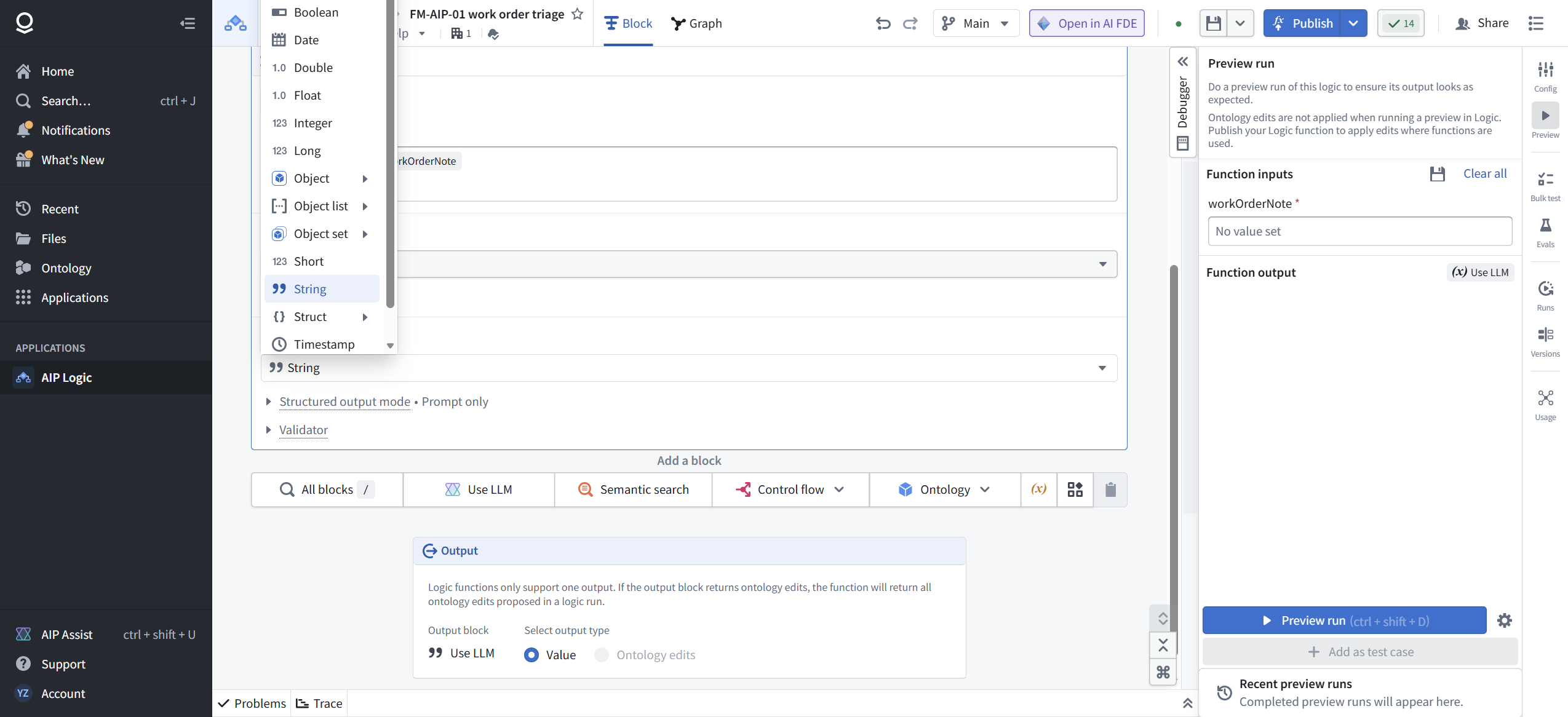
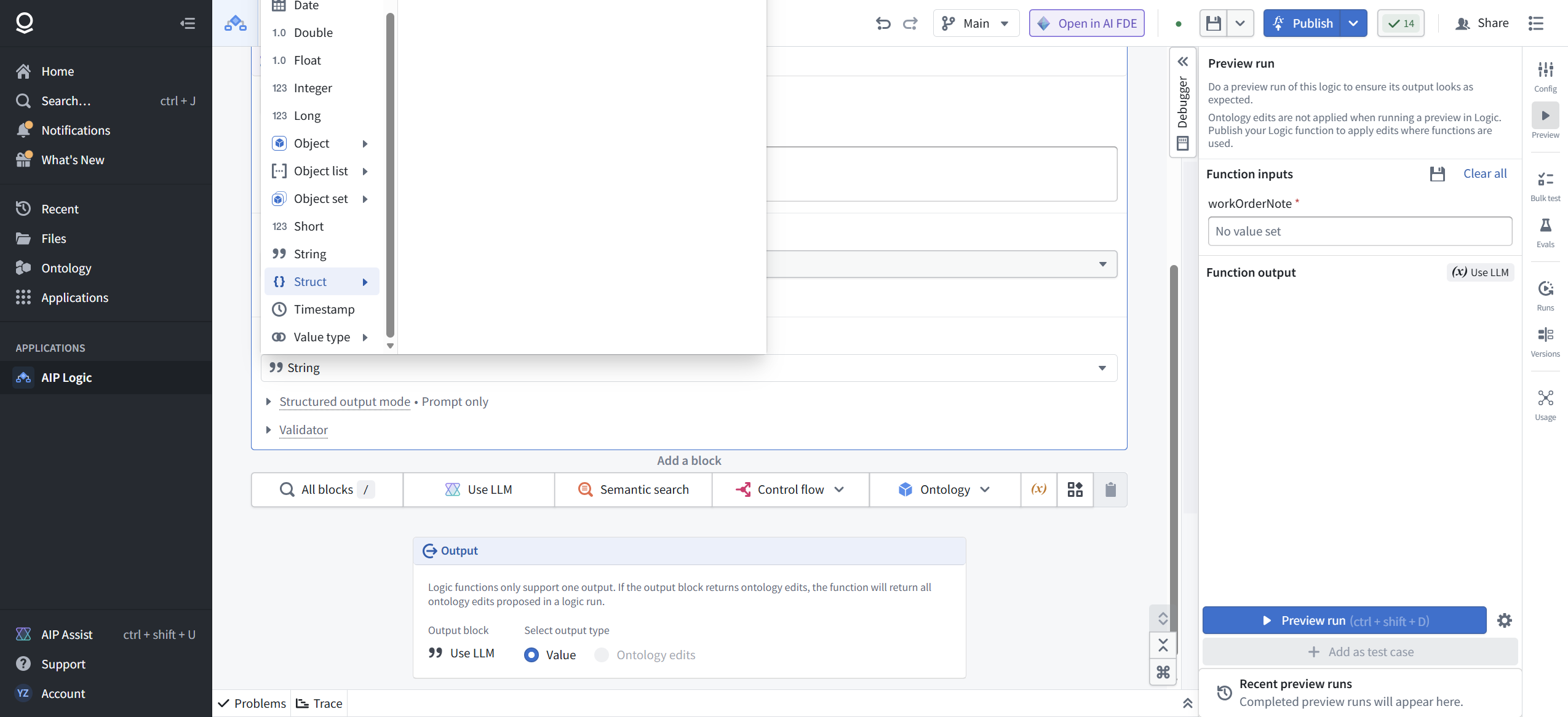
Yes. The Output type menu lists Array, Boolean, Date, Double, Float, Integer, Long, Object, Object list, Object set, Short, String, Struct, Timestamp, and Value type, and the block has a Structured output mode section that defaults to Prompt only. Not tested in this lab; the Struct submenu refused to cooperate with our automation and we ship what we verify. The JSON-string contract with closed enums worked on all three runs and is a legitimate production pattern.
What about grounding on real work orders from the ontology?
That is the RAG template and the Semantic search block, and it needs ontology objects we have not built yet in this track. When the ontology phase lands, this function gets a second input path. The Debugger even warns you that ontology edits do not apply in preview, only after publish.
What does "Add as test case" do?
It turns a preview run into a saved case for the Evals surface in the right rail. That is the seed of regression testing for prompts, and it is the whole subject of FM-AIP-03.
What is "Open in AI FDE"?
A handoff to Palantir's agentic builder: "Open in AI FDE to understand, debug, and improve your Logic function." We captured the tooltip and deliberately did not hand off; FM-AIP-02 covers agent-assisted building.
What did we not test?
Struct and Object output types, ontology binding, staged write mode, the Add tool section (function calling), the Validator section, Bulk test, the Semantic search block, calling the published function from Workshop or code, and version rollback. Each is a deliberate later module, not an oversight.
[ NET POSITION ]
A Logic function is a product surface, not a prompt scratchpad. It has typed inputs, a public API name, a security posture, a changelog, and a version history, and it costs visible tokens on every run. The practitioners who treat it that way ship functions other people can call. The ones who treat it as a chat window ship screenshots.
Build order from here: FM-AIP-02 hands this same function to the agent (AI FDE) and watches what it changes. FM-AIP-03 takes the "Add as test case" button seriously and builds an eval set, so the next time someone edits the triage prompt, the regressions announce themselves instead of arriving as a pager call.